
How we evaluate project management vendors
Every tool gets the same nine checks, all from public pages. We show no total score.
- Price at your team size 20%. Yearly cost for 5, 10 and 25 people.
- Capabilities and features 17%. Views, time and resource tracking, reporting, automation and AI.
- Reviews and sentiment 15%. G2 rating, review count and the complaints we counted.
- Team size fit 9%. Seat limits and plan caps.
- Use-case fit 9%. What the tool is built for.
- Integrations 9%. Slack, Google Workspace, Microsoft 365, Zapier and API.
- Security and compliance 9%. Certifications, SSO and audit logs on the vendor's pages.
- Free plan or trial 6%. Whether you can start free.
- Ease of use and setup 6%. Reviewer complaints about the learning curve and setup.
Read the full SaaSReviewz.com methodology, the scoring criteria, weights, and the data we collect for every tool.
Top-rated project management platforms compared: features, pricing and ratings
You are choosing a project management platform for a team. The right tool depends on how many people you have, what you manage and what you can pay. This page gives you a pick for each situation, with prices taken from each vendor's own pricing page.
| Tool | Best for | Starting price | Free trial | External rating |
|---|---|---|---|---|
 ClickUp | Best for most small teams on a budget | $9 per user per month, billed yearly | Free Forever plan | G2 4.6/5 (15,396 reviews) |
 monday.com | Best for teams that want the top G2 rating | $9 per seat per month, billed yearly | Free plan for up to 2 seats | G2 4.7/5 (17,945 reviews) |
 Asana | Best for pairs and very small teams starting free | $10.99 per user per month, billed annually | Free plan for 2 users | G2 4.4/5 (14,110 reviews) |
 Trello | Best for the lowest paid price | $5 per user per month, billed annually | Free plan for up to 10 collaborators per Workspace | G2 4.4/5 (14,071 reviews) |
 Jira | Best for software teams, free up to 10 users | $950 per year for 1 to 10 users | Free plan for up to 10 users | G2 4.3/5 (8,070 reviews) |
 Smartsheet | Best for larger teams that want the biggest review base | $9 per member per month, billed yearly | Try for free (no free plan seen) | G2 4.4/5 (23,146 reviews) |
 Wrike | Best for mid-size teams of 5 to 200 users | $10 per user per month, billed annually | Free plan; trials need no credit card | G2 4.2/5 (4,566 reviews) |
 Teamwork.com | Best for client and service work | $9.99 per user per month, billed yearly | Free plan for up to 5 users; 14 day free trial on paid plans | G2 4.4/5 (1,218 reviews) |
What is project management software?
Project management software helps teams plan work, assign tasks, track progress and collaborate in one place. Most platforms add schedules, files, reports and automation.
Key features to look for in a project management platform
Check these seven things before you compare prices, and match each one to your own team. When a feature sits on a paid plan, the plan name is the one the vendor shows.
- Views and planning. You want list, board and calendar views, plus a timeline or Gantt chart for dates and dependencies. Jira includes a timeline on its free plan. ClickUp needs Core for Gantt, Asana needs Starter, and monday.com needs Standard.
- Time, resource and budget tracking. If you bill clients or plan your team’s workload, you need these. Time tracking is on ClickUp’s free plan and on Teamwork.com Basics. Resource or workload views start on ClickUp Business, Asana Advanced and Teamwork.com Accelerate.
- Collaboration and guest access. If your clients or contractors need a seat, check the guest rules first. Asana Starter and Smartsheet Business include unlimited free guests.
- Reporting and dashboards. If you report to a boss or a client, you’ll want dashboards. Asana Starter and ClickUp Business add them. Trello needs Premium for its dashboard view.
- Automation and AI. Limits differ a lot, so check yours. ClickUp gives you 1K runs a month on Core, monday.com 250 actions on Standard, and Teamwork.com 20,000 on Accelerate. Asana’s automations are unlimited from Starter.
- Integrations. Look for the apps your team already uses: Slack, Google Workspace, Microsoft 365 and an API. Directories range from 150+ integrations at Teamwork.com to 1,000+ at ClickUp.
- Security and compliance. If your company needs SSO, expect to pay for a higher plan: Asana, Smartsheet and Trello gate SAML on Enterprise, while ClickUp adds Google SSO on Business. ClickUp, Asana, monday.com and Teamwork.com list SOC 2.
If Gantt charts are the main thing you need, see our guide to the best gantt chart software.
The 8 most recommended project management tools, reviewed
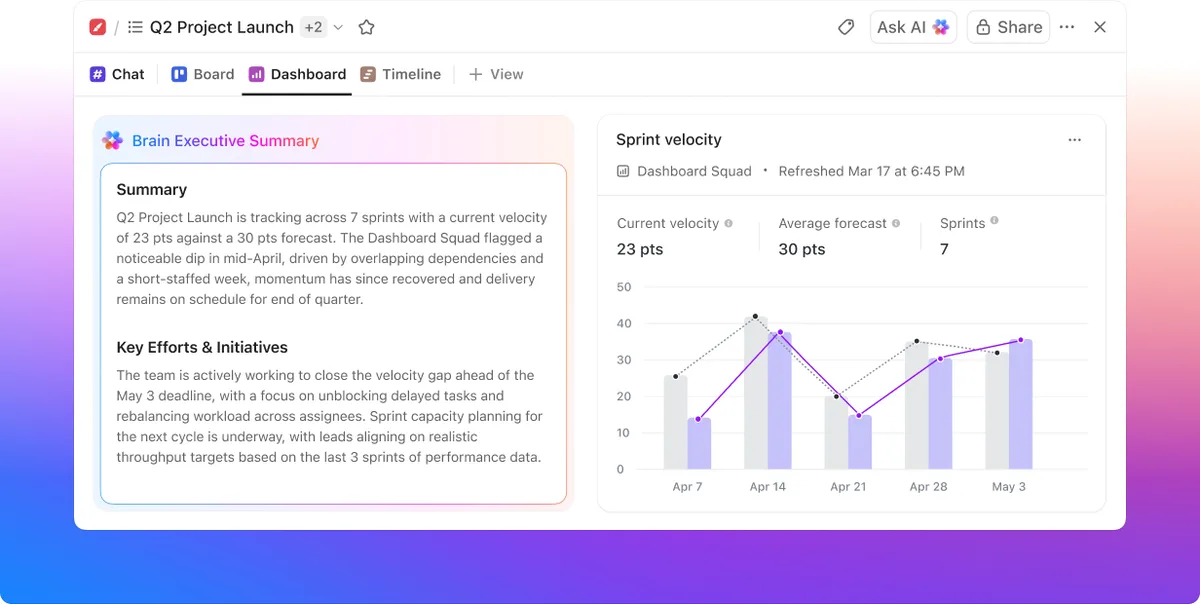
Screenshots of ClickUp 2 images
Quick summary
Why we picked ClickUp?
A lot of features for little money. The free plan has no member limit, Gantt charts start on Core at $9, and G2 reviewers give it 4.6 from 15,396 reviews.
Pick it if you have more than 10 people and want to start free. The Free Forever plan lists unlimited tasks and unlimited free members, with kanban, calendar, sprint management and time tracking.
Skip it if you need a lot of file storage on the free plan, which lists 60 MB, or you want dashboards and resource management on a small budget. Those start on the Business plan at $17.
What it costs you: Core is $9 per user per month billed yearly. That is $540 a year for 5 people, $1,080 for 10 and $2,700 for 25. Business is $1,020, $2,040 and $5,100 at the same sizes. Price source: the ClickUp pricing page. The G2 page shows 4.6 from 15,396 reviews.
Features
| Feature | Status |
|---|---|
| Free tier | Yes: unlimited tasks and members, 60 MB storage |
| Gantt or timeline | Gantt charts: Core plan and up |
| Time tracking | Time tracking on the free plan; timesheets on Business |
| Resource or workload | Resource management: Business plan and up |
| Dashboards and reporting | Advanced dashboards: Business plan |
| Automation | 1K runs a month on Core, 10K on Business |
| AI features | AI runs on credits; the free plan has a 500-credit trial |
| Guest access | Guest permissions: Core plan and up |
ClickUp feature availability summary: Free tier (Yes: unlimited tasks and members, 60 MB storage); Gantt or timeline (Gantt charts: Core plan and up); Time tracking (Time tracking on the free plan; timesheets on Business); Resource or workload (Resource management: Business plan and up); Dashboards and reporting (Advanced dashboards: Business plan); Automation (1K runs a month on Core, 10K on Business); AI features (AI runs on credits; the free plan has a 500-credit trial); and Guest access (Guest permissions: Core plan and up).
Security and compliance
| Standard | Status |
|---|---|
| SOC 2 | Listed on its security page |
| ISO/IEC 27001 | Listed on its security page |
| GDPR | Listed on its security page |
| HIPAA | Enterprise plan, with a BAA |
| SSO / SAML | Google SSO on Business; SAML and SCIM on Enterprise |
| Audit logs | Enterprise plan |
ClickUp security and compliance summary: SOC 2: Listed on its security page; ISO/IEC 27001: Listed on its security page; GDPR: Listed on its security page; HIPAA: Enterprise plan, with a BAA; SSO / SAML: Google SSO on Business; SAML and SCIM on Enterprise; and Audit logs: Enterprise plan.
Integrations
| Integration | Status |
|---|---|
| Directory size | 1,000+ integrations |
| Slack | Yes |
| Google Workspace | Google Drive named |
| Microsoft 365 and Teams | Outlook named |
| Zapier | Yes |
| Public API | Public API |
ClickUp integration summary: Directory size: 1,000+ integrations; Slack: Yes; Google Workspace: Google Drive named; Microsoft 365 and Teams: Outlook named; Zapier: Yes; and Public API: Public API.
Pricing
| Plan | Price | Best for |
|---|---|---|
| Free Forever | $0 | Any team size that can live with 60 MB of storage |
| Core | $9 per user per month, billed yearly | Small teams that want Gantt charts and guests |
| Business | $17 per user per month, billed yearly | Teams that want dashboards and resource management |
| Enterprise | Custom | Large companies that need SAML and audit logs |
Pros and cons
What's great
- Free plan: unlimited tasks and unlimited free members
- Gantt charts, forms and guest permissions come with the $9 Core plan
- G2 rating of 4.6 from 15,396 reviews
Watch-outs
- The free plan lists 60 MB of storage
- Dashboards, resource management and timesheets start on the $17 Business plan
- AI runs on credits: the free plan lists 500 trial credits per workspace
Reviews
G2 4.6/5 from 15,396 reviews.
What reviewers mention most often, counted in the 30 most recent written reviews:
- Views, boards and features17 of 30 liked
- Ease of use14 of 30 liked
- Collaboration and visibility12 of 30 liked
- Customization and flexibility7 of 30 liked
- Hard to learn or set up7 of 30 raised as a complaint
- Slow or buggy6 of 30 raised as a complaint
- Mobile app5 of 30 raised as a complaint
- Reports or dashboards3 of 30 raised as a complaint
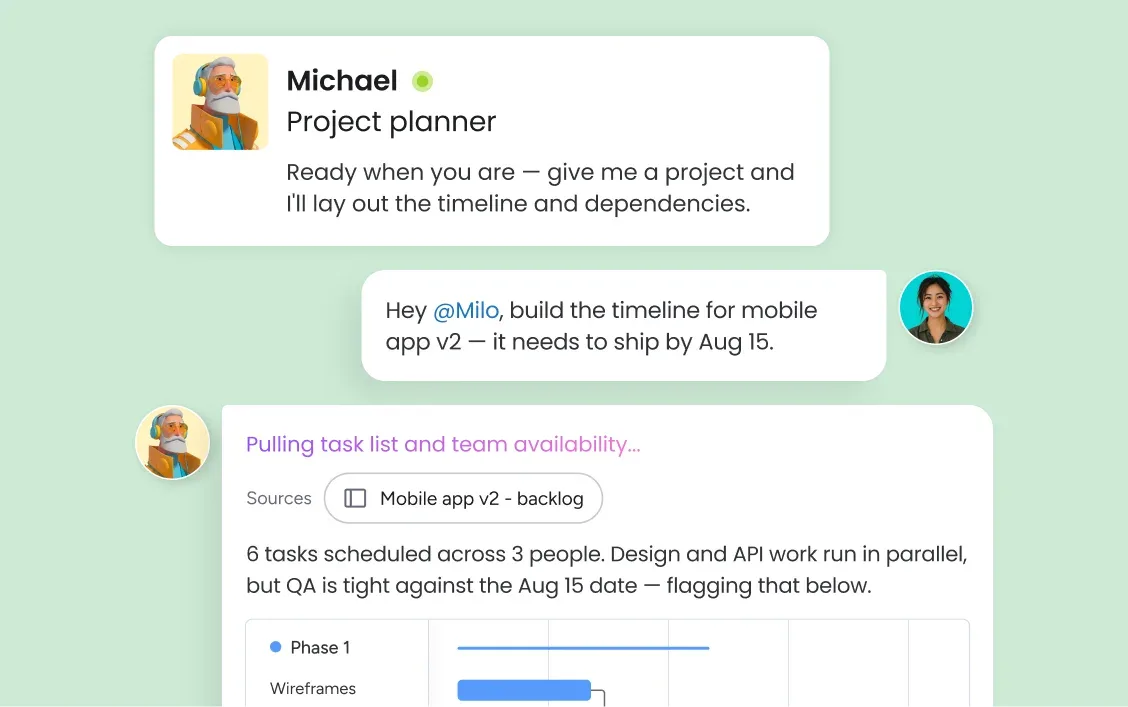
Screenshots of monday.com 1 images
Quick summary
Why we picked monday.com?
No other tool here scores higher on G2: 4.7 from 17,945 reviews. Standard adds timeline, Gantt and guest access at $12 a seat.
Pick it if you want the highest G2 rating in this list. monday.com shows 4.7 from 17,945 reviews.
Skip it if you have more than 2 people and want a free plan. The free plan covers up to 2 seats.
What it costs you: The page shows $9, $12 and $19 per seat per month for Basic, Standard and Pro, billed yearly. Your total depends on how many seats you pick. Standard is $720 a year for 5 seats, $1,440 for 10 and $3,840 for 25. Pro is $1,140, $2,280 and $6,060. At 5 and 10 seats the page showed a special offer next to Standard and Pro, so check the final total. Price source: the monday.com pricing page.
Features
| Feature | Status |
|---|---|
| Free tier | Yes: 2 seats, 3 boards |
| Gantt or timeline | Timeline and Gantt: Standard plan and up |
| Time tracking | Time tracking: Pro plan and up |
| Resource or workload | Resource management: Enterprise plan |
| Dashboards and reporting | Not listed on the pricing page |
| Automation | 250 actions a month on Standard, 25,000 on Pro |
| AI features | AI credits on every paid plan, 1,000 a month on Basic |
| Guest access | Guest access: Standard plan and up |
monday.com feature availability summary: Free tier (Yes: 2 seats, 3 boards); Gantt or timeline (Timeline and Gantt: Standard plan and up); Time tracking (Time tracking: Pro plan and up); Resource or workload (Resource management: Enterprise plan); Dashboards and reporting (Not listed on the pricing page); Automation (250 actions a month on Standard, 25,000 on Pro); AI features (AI credits on every paid plan, 1,000 a month on Basic); and Guest access (Guest access: Standard plan and up).
Security and compliance
| Standard | Status |
|---|---|
| SOC 2 | SOC 2 Type II listed on its trust centre |
| ISO/IEC 27001 | ISO/IEC 27001:2022 listed |
| GDPR | Listed on its trust centre |
| HIPAA | Business associate agreement listed |
| SSO / SAML | Not listed on its trust centre; security and governance on Enterprise |
| Not confirmed | Audit logs: not listed on the pages we read |
monday.com security and compliance summary: SOC 2: SOC 2 Type II listed on its trust centre; ISO/IEC 27001: ISO/IEC 27001:2022 listed; GDPR: Listed on its trust centre; HIPAA: Business associate agreement listed; SSO / SAML: Not listed on its trust centre; security and governance on Enterprise; and Not confirmed: Audit logs: not listed on the pages we read.
Integrations
| Integration | Status |
|---|---|
| Directory size | 850+ integrations |
| Microsoft 365 and Teams | Named |
| Public API | Yes |
| Not confirmed | Slack, Google Workspace and Zapier: not confirmed in the page text we read |
monday.com integration summary: Directory size: 850+ integrations; Microsoft 365 and Teams: Named; Public API: Yes; and Not confirmed: Slack, Google Workspace and Zapier: not confirmed in the page text we read.
Pricing
| Plan | Price | Best for |
|---|---|---|
| Free | $0 | Up to 2 seats |
| Basic | $9 per seat per month, billed yearly | Small teams (5 seats: $540 a year) |
| Standard | $12 per seat per month, billed yearly | Growing teams (10 seats: $1,440 a year) |
| Pro | $19 per seat per month, billed yearly | Larger teams (25 seats: $6,060 a year) |
Pros and cons
What's great
- Highest G2 rating of the eight: 4.7 from 17,945 reviews
- Has a free plan, and Basic starts at $9 per seat per month
- The pricing page has a seat dropdown from 3 to 25 seats, so you can see your total
Watch-outs
- The free plan covers only 2 seats
- The price per seat rises as you add seats: Standard is $12.80 a seat at 25 seats
- Standard and Pro showed a special offer on the page, so check the total at checkout
Reviews
G2 4.7/5 from 17,945 reviews.
What reviewers mention most often, counted in the 30 most recent written reviews:
- Ease of use18 of 30 liked
- Views, boards and features13 of 30 liked
- Collaboration and visibility10 of 30 liked
- Price or cost6 of 30 raised as a complaint
- Hard to learn or set up4 of 30 raised as a complaint
- Slow or buggy2 of 30 raised as a complaint
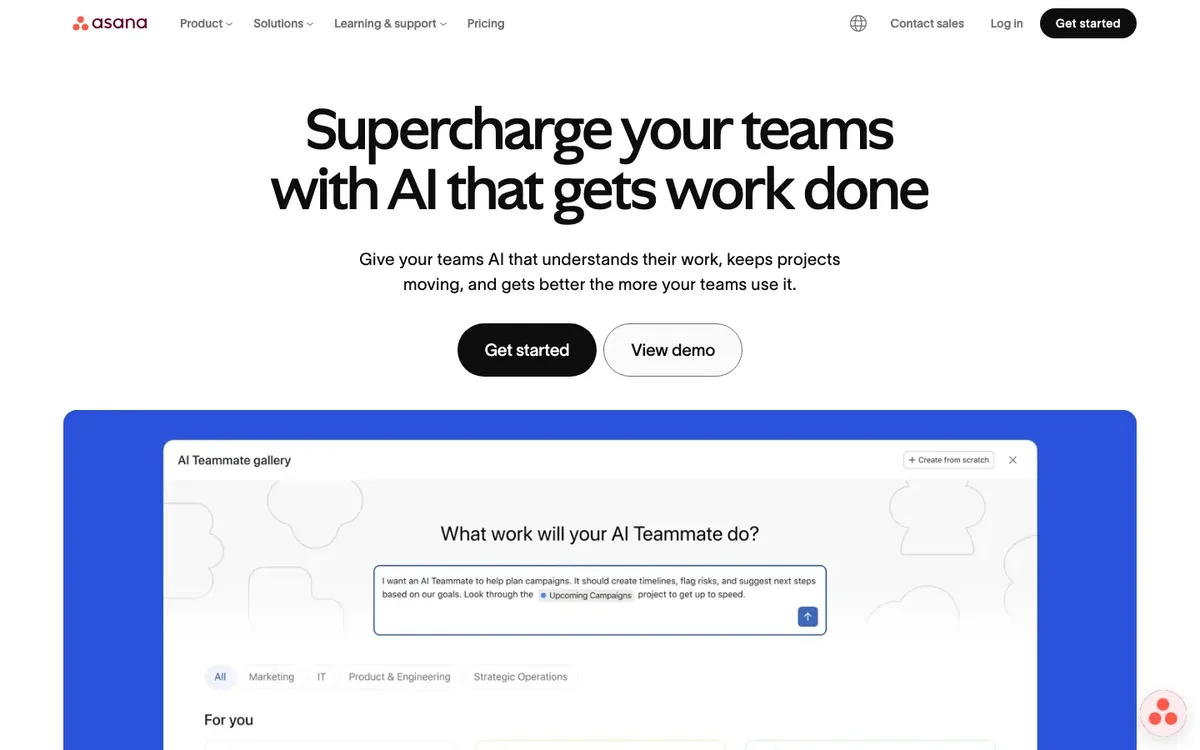
Screenshots of Asana 3 images
Quick summary
Why we picked Asana?
For small teams that want a polished tool and a free start. The free plan covers 2 users, and Advanced adds approvals, proofing and resource management at $24.99.
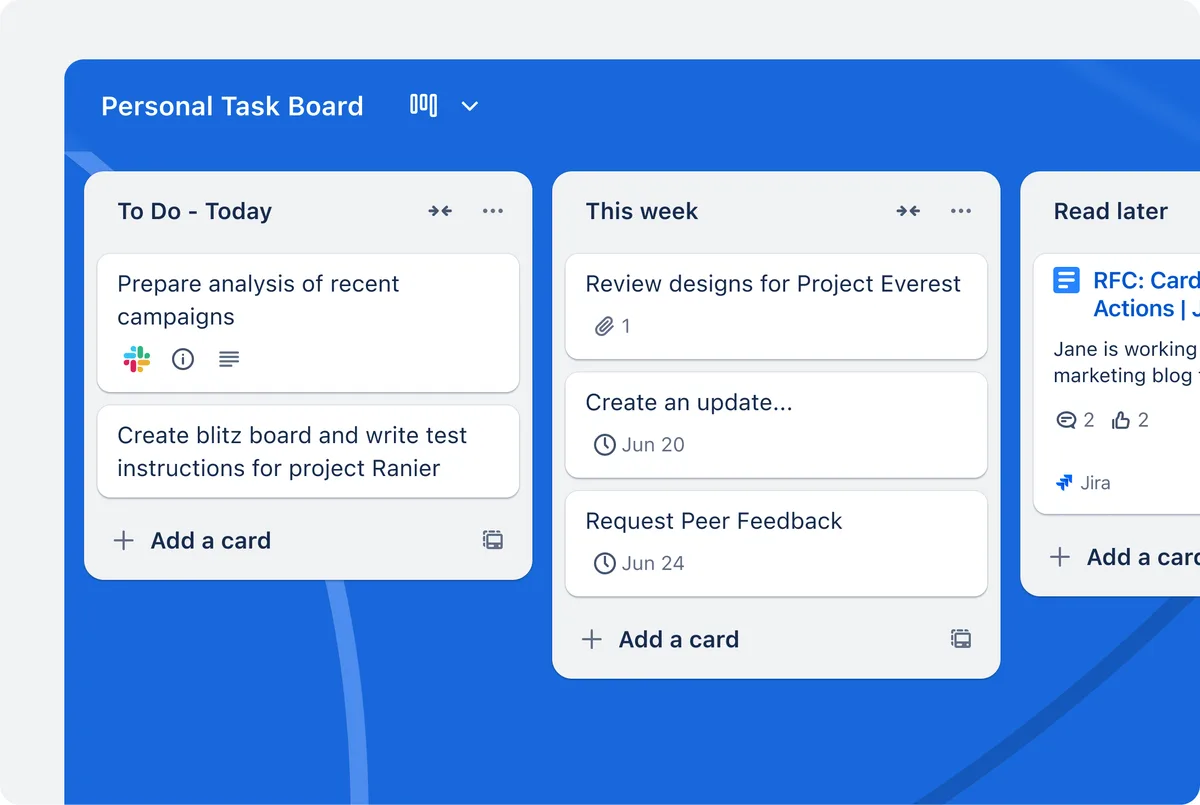
Pick it if it is just you and one teammate. Asana’s Personal plan is free for 2 users, with unlimited tasks and projects and list, board and calendar views.
Skip it if you have 3 or more people and a tight budget. The first paid plan, Starter, is $10.99 per user per month billed annually, and Advanced is $24.99, which is more than double.
What it costs you: Starter is $659.40 a year for 5 people, $1,318.80 for 10 and $3,297 for 25. Advanced is $1,499.40, $2,998.80 and $7,497. G2 shows 4.4 from 14,110 reviews. Price source: the Asana pricing page.
One warning: when we read Google’s AI Overview it said Asana is free for up to 10 users. Asana’s own page says 2.
Features
| Feature | Status |
|---|---|
| Free tier | Yes: 2 users, unlimited tasks and projects |
| Gantt or timeline | Timeline and Gantt: Starter plan and up |
| Time tracking | Time tracking: Advanced plan and up |
| Resource or workload | Resource management on Advanced; organization-wide on Enterprise |
| Dashboards and reporting | Reporting dashboards: Starter plan and up |
| Automation | Unlimited automations: Starter plan and up |
| AI features | AI Teammates and Asana Dash included, with request limits |
| Guest access | Unlimited free guests: Starter plan and up |
Asana feature availability summary: Free tier (Yes: 2 users, unlimited tasks and projects); Gantt or timeline (Timeline and Gantt: Starter plan and up); Time tracking (Time tracking: Advanced plan and up); Resource or workload (Resource management on Advanced; organization-wide on Enterprise); Dashboards and reporting (Reporting dashboards: Starter plan and up); Automation (Unlimited automations: Starter plan and up); AI features (AI Teammates and Asana Dash included, with request limits); and Guest access (Unlimited free guests: Starter plan and up).
Security and compliance
| Standard | Status |
|---|---|
| SOC 2 | SOC 2 Type 2 listed on its trust page |
| GDPR | Listed on its trust page |
| HIPAA | Listed on its trust page |
| SSO / SAML | SAML SSO and SCIM on Enterprise |
| Not confirmed | ISO 27001 and audit logs: not listed in the pages we read |
Asana security and compliance summary: SOC 2: SOC 2 Type 2 listed on its trust page; GDPR: Listed on its trust page; HIPAA: Listed on its trust page; SSO / SAML: SAML SSO and SCIM on Enterprise; and Not confirmed: ISO 27001 and audit logs: not listed in the pages we read.
Integrations
| Integration | Status |
|---|---|
| Directory size | 400 apps |
| Slack | Named |
| Google Workspace | Named |
| Microsoft 365 and Teams | Named |
| Zapier | Named |
| Public API | Named |
Asana integration summary: Directory size: 400 apps; Slack: Named; Google Workspace: Named; Microsoft 365 and Teams: Named; Zapier: Named; and Public API: Named.
Pricing
| Plan | Price | Best for |
|---|---|---|
| Personal | $0 | Two people |
| Starter | $10.99 per user per month, billed annually | Small teams (10 people: $1,318.80 a year) |
| Advanced | $24.99 per user per month, billed annually | Teams that want the top self-serve plan (10 people: $2,998.80 a year) |
| Enterprise | Custom | Large companies that need SAML sign-in |
Pros and cons
What's great
- Free for 2 users with unlimited tasks and projects
- List, board and calendar views on the free plan
- G2 rating of 4.4 from 14,110 reviews
Watch-outs
- The free plan covers 2 users, not 10
- Advanced is $24.99, more than double Starter at $10.99
- AI requests cost extra: $0.50 each when prepaid
Reviews
G2 4.4/5 from 14,110 reviews.
What reviewers mention most often, counted in the 30 most recent written reviews:
- Ease of use20 of 30 liked
- Views, boards and features14 of 30 liked
- Collaboration and visibility8 of 30 liked
- Customization and flexibility5 of 30 liked
- Price or cost7 of 30 raised as a complaint
- Hard to learn or set up3 of 30 raised as a complaint
Screenshots of Trello 2 images
Quick summary
Why we picked Trello?
Standard is $5 per user per month, the lowest paid price of the eight, and the free plan covers up to 10 people.
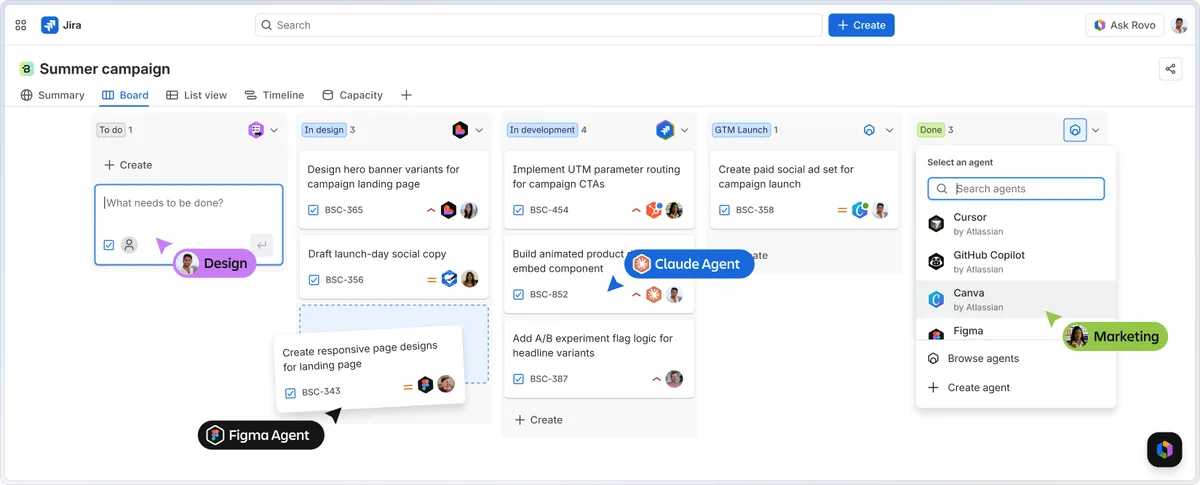
Pick it if you want the lowest paid price. Standard is $5 per user per month billed annually, or $6 billed monthly, and the Free plan covers up to 10 collaborators per Workspace.
Skip it if you want extra board views on the cheapest paid plan. Trello lists those on Premium, which is $10 billed annually.
What it costs you: Standard is $300 a year for 5 people, $600 for 10 and $1,500 for 25. Premium is $600, $1,200 and $3,000. G2 shows 4.4 from 14,071 reviews. Price source: the Trello pricing page.
Features
| Feature | Status |
|---|---|
| Free tier | Yes: up to 10 collaborators per Workspace |
| Gantt or timeline | Timeline view: Premium plan and up |
| Time tracking | Not listed on the pricing page |
| Resource or workload | Not listed on the pricing page |
| Dashboards and reporting | Dashboard view: Premium plan and up |
| Automation | Built-in automation on every plan |
| AI features | AI features: Standard plan and up |
| Guest access | Not listed on the pricing page |
Trello feature availability summary: Free tier (Yes: up to 10 collaborators per Workspace); Gantt or timeline (Timeline view: Premium plan and up); Time tracking (Not listed on the pricing page); Resource or workload (Not listed on the pricing page); Dashboards and reporting (Dashboard view: Premium plan and up); Automation (Built-in automation on every plan); AI features (AI features: Standard plan and up); and Guest access (Not listed on the pricing page).
Security and compliance
| Standard | Status |
|---|---|
| SSO / SAML | SAML SSO via Atlassian Guard, Enterprise plan only |
| Not confirmed | SOC 2, ISO 27001, GDPR, HIPAA and audit logs: not confirmed, Atlassian's compliance pages did not load as text |
Trello security and compliance summary: SSO / SAML: SAML SSO via Atlassian Guard, Enterprise plan only; and Not confirmed: SOC 2, ISO 27001, GDPR, HIPAA and audit logs: not confirmed, Atlassian's compliance pages did not load as text.
Integrations
| Integration | Status |
|---|---|
| Slack | Named |
| Google Workspace | Named |
| Microsoft 365 and Teams | Named |
| Not confirmed | Zapier and API: not confirmed in the page text we read |
Trello integration summary: Slack: Named; Google Workspace: Named; Microsoft 365 and Teams: Named; and Not confirmed: Zapier and API: not confirmed in the page text we read.
Pricing
| Plan | Price | Best for |
|---|---|---|
| Free | $0 | Up to 10 collaborators per Workspace |
| Standard | $5 per user per month, billed annually | Small teams on a tight budget (10 people: $600 a year) |
| Premium | $10 per user per month, billed annually | Teams that want extra views and admin controls (10 people: $1,200 a year) |
| Enterprise | $17.50 per user per month, billed annually | Large companies |
Pros and cons
What's great
- Lowest paid price of the eight: $5 per user per month billed annually
- Free for up to 10 collaborators per Workspace
- G2 rating of 4.4 from 14,071 reviews
Watch-outs
- Extra board views sit on Premium at $10
- The free plan lists up to 10 boards per Workspace
- Monthly billing costs more: $6 on Standard and $12.50 on Premium
Reviews
G2 4.4/5 from 14,071 reviews.
What reviewers mention most often, counted in the 30 most recent written reviews:
- Ease of use23 of 30 liked
- Collaboration and visibility17 of 30 liked
- Views, boards and features16 of 30 liked
- Integrations8 of 30 liked
- Price or cost6 of 30 raised as a complaint
- Reports or dashboards5 of 30 raised as a complaint
- Hard to learn or set up4 of 30 raised as a complaint
- Slow or buggy3 of 30 raised as a complaint
Screenshots of Jira 1 images
Quick summary
Why we picked Jira?
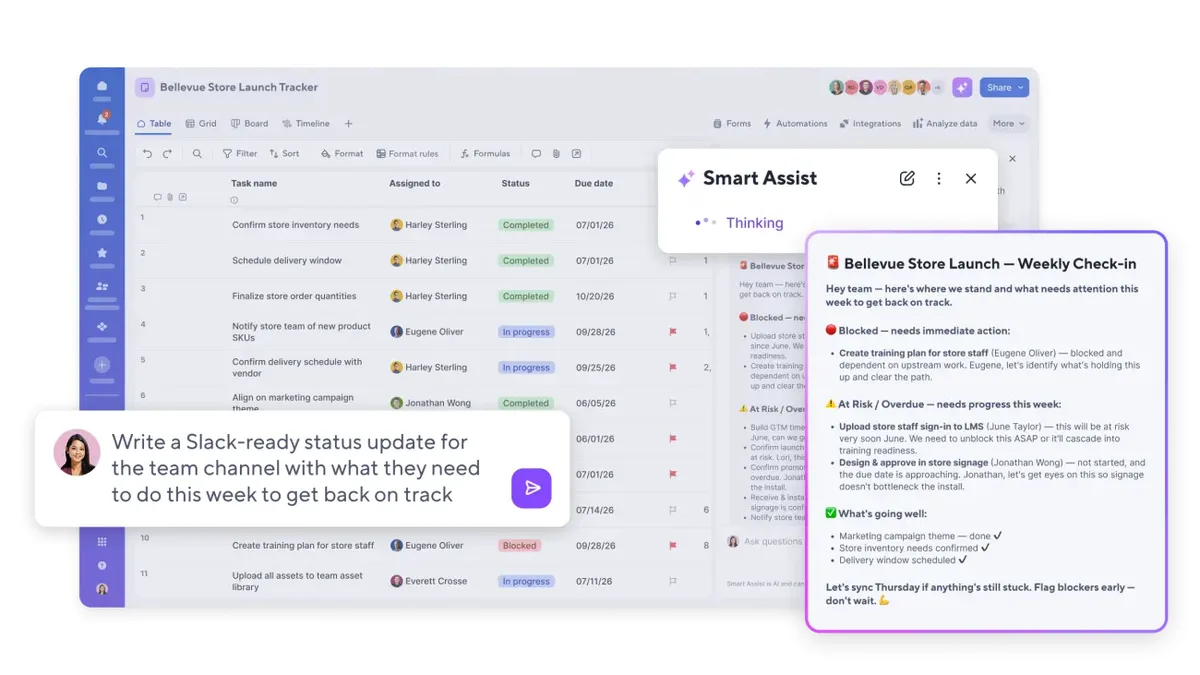
Software teams get the most out of it. The free plan covers 10 users and already includes backlog, board and timeline views.
Pick it if you run a software team of 10 people or fewer. Jira’s free plan covers up to 10 users and lists a backlog, list, board, timeline and calendar.
Skip it if you want a simple per-user price. Atlassian prices Jira by user tier. Standard is $950 a year for 1 to 10 users and $2,450 for 16 to 25 users. Premium is $1,950 and $4,900.
What it costs you: At 10 users that works out to about $7.92 per user per month on Standard and $16.25 on Premium. At 25 users it is $8.17 and $16.33. G2 shows 4.3 from 8,070 reviews. Price source: the Jira pricing page, with annual billing selected.
Features
| Feature | Status |
|---|---|
| Free tier | Yes: up to 10 users |
| Gantt or timeline | Timeline view on every plan, including Free |
| Time tracking | Not listed on the pricing page |
| Resource or workload | Not confirmed: the plan matrix lists capacity management, but its plans were not readable |
| Dashboards and reporting | AI-driven reports and dashboards on Free |
| Automation | 150 steps a month per site on Free, 400 per user on Standard, 750 on Premium |
| AI features | AI-driven reports on Free; Rovo search and chat from Standard |
| Guest access | Not confirmed: the plan matrix lists free guest access, but its plans were not readable |
Jira feature availability summary: Free tier (Yes: up to 10 users); Gantt or timeline (Timeline view on every plan, including Free); Time tracking (Not listed on the pricing page); Resource or workload (Not confirmed: the plan matrix lists capacity management, but its plans were not readable); Dashboards and reporting (AI-driven reports and dashboards on Free); Automation (150 steps a month per site on Free, 400 per user on Standard, 750 on Premium); AI features (AI-driven reports on Free; Rovo search and chat from Standard); and Guest access (Not confirmed: the plan matrix lists free guest access, but its plans were not readable).
Security and compliance
| Standard | Status |
|---|---|
| SSO / SAML | SSO and SCIM need a separate Atlassian Guard Standard subscription |
| Uptime | 99.9% uptime SLA on Premium |
| Not confirmed | SOC 2, ISO 27001, GDPR, HIPAA and audit logs: not confirmed, Atlassian's compliance pages did not load as text |
Jira security and compliance summary: SSO / SAML: SSO and SCIM need a separate Atlassian Guard Standard subscription; Uptime: 99.9% uptime SLA on Premium; and Not confirmed: SOC 2, ISO 27001, GDPR, HIPAA and audit logs: not confirmed, Atlassian's compliance pages did not load as text.
Integrations
| Integration | Status |
|---|---|
| Slack | Named |
| Not confirmed | Google Workspace, Microsoft 365, Zapier and API: not confirmed in the page text we read |
Jira integration summary: Slack: Named; and Not confirmed: Google Workspace, Microsoft 365, Zapier and API: not confirmed in the page text we read.
Pricing
| Plan | Price | Best for |
|---|---|---|
| Free | $0 | Up to 10 users |
| Standard | $950 per year for 1 to 10 users; $2,450 per year for 16 to 25 users | Teams that need roles, permissions and external collaboration |
| Premium | $1,950 per year for 1 to 10 users; $4,900 per year for 16 to 25 users | Teams that need cross-team planning and approvals |
| Enterprise | Shown from 801 users | Large companies |
Pros and cons
What's great
- Free for up to 10 users
- The free plan lists backlog, list, board, timeline and calendar views
- Premium lists a 99.9% uptime SLA
Watch-outs
- Pricing is by user tier, not a simple per-user price
- Moving from Standard to Premium roughly doubles the yearly cost: $950 to $1,950 for 1 to 10 users
- The free plan lists 2 GB of storage for the whole site
Reviews
G2 4.3/5 from 8,070 reviews.
What reviewers mention most often, counted in the 30 most recent written reviews:
- Collaboration and visibility18 of 30 liked
- Views, boards and features13 of 30 liked
- Ease of use12 of 30 liked
- Customization and flexibility8 of 30 liked
- Hard to learn or set up17 of 30 raised as a complaint
- Reports or dashboards4 of 30 raised as a complaint
- Slow or buggy4 of 30 raised as a complaint
- Price or cost2 of 30 raised as a complaint
Screenshots of Smartsheet 2 images
Quick summary
Why we picked Smartsheet?
If your team plans in grids, this is the one. Pro starts at $9 with Gantt, table, board and calendar views, and G2 shows 23,146 reviews, the most of any tool here.
Pick it if you want the biggest review base. Smartsheet shows 4.4 from 23,146 reviews on G2, more than any other tool here.
Skip it if you want a free plan. We saw a free trial button but no free plan.
What it costs you: Pro is $9 per member per month billed yearly, but only for 1 to 10 members: $540 a year for 5 and $1,080 for 10. Business is $19 for 3 or more members: $1,140, $2,280 and $5,700 at 5, 10 and 25 people. Contributors are unlimited on both plans, and Business also lists unlimited guests, so only members add to the bill. Price source: the Smartsheet pricing page.
Features
| Feature | Status |
|---|---|
| Free tier | No free plan; 30-day free trial |
| Gantt or timeline | Gantt on Pro; timeline view on Business |
| Time tracking | Not listed on the pricing page |
| Resource or workload | Workload tracking on Business; Resource Management is an add-on |
| Dashboards and reporting | Unlimited sheets, forms and reports on Pro |
| Automation | 250 a month on Pro, unlimited on Business |
| AI features | Conversational AI on Pro; external AI tools on Business |
| Guest access | Unlimited free guests: Business plan and up |
Smartsheet feature availability summary: Free tier (No free plan; 30-day free trial); Gantt or timeline (Gantt on Pro; timeline view on Business); Time tracking (Not listed on the pricing page); Resource or workload (Workload tracking on Business; Resource Management is an add-on); Dashboards and reporting (Unlimited sheets, forms and reports on Pro); Automation (250 a month on Pro, unlimited on Business); AI features (Conversational AI on Pro; external AI tools on Business); and Guest access (Unlimited free guests: Business plan and up).
Security and compliance
| Standard | Status |
|---|---|
| GDPR | GDPR and CCPA named on its trust page |
| SSO / SAML | SAML-based SSO on Enterprise |
| Not confirmed | SOC 2, ISO 27001, HIPAA and audit logs: not listed in the page text we read |
Smartsheet security and compliance summary: GDPR: GDPR and CCPA named on its trust page; SSO / SAML: SAML-based SSO on Enterprise; and Not confirmed: SOC 2, ISO 27001, HIPAA and audit logs: not listed in the page text we read.
Integrations
| Integration | Status |
|---|---|
| Slack | Named |
| Microsoft 365 and Teams | Named |
| Not confirmed | Google Workspace, Zapier and API: not confirmed in the page text we read |
Smartsheet integration summary: Slack: Named; Microsoft 365 and Teams: Named; and Not confirmed: Google Workspace, Zapier and API: not confirmed in the page text we read.
Pricing
| Plan | Price | Best for |
|---|---|---|
| Pro | $9 per member per month, billed yearly | 1 to 10 members (10 members: $1,080 a year) |
| Business | $19 per member per month, billed yearly | 3 or more members (25 members: $5,700 a year) |
| Enterprise | Custom | 10 or more members |
Pros and cons
What's great
- Most G2 reviews of the eight: 23,146
- Contributors are unlimited on Pro and Business
- Pro costs $9 per member per month billed yearly
Watch-outs
- No free plan seen on the pricing page
- Pro is limited to 1 to 10 members
- Business needs 3 or more members at $19 each
Reviews
G2 4.4/5 from 23,146 reviews.
What reviewers mention most often, counted in the 30 most recent written reviews:
- Ease of use14 of 30 liked
- Collaboration and visibility7 of 30 liked
- Hard to learn or set up5 of 30 raised as a complaint
- Slow or buggy3 of 30 raised as a complaint
- Reports or dashboards2 of 30 raised as a complaint
- Price or cost2 of 30 raised as a complaint
Screenshots of Wrike 2 images
Quick summary
Why we picked Wrike?
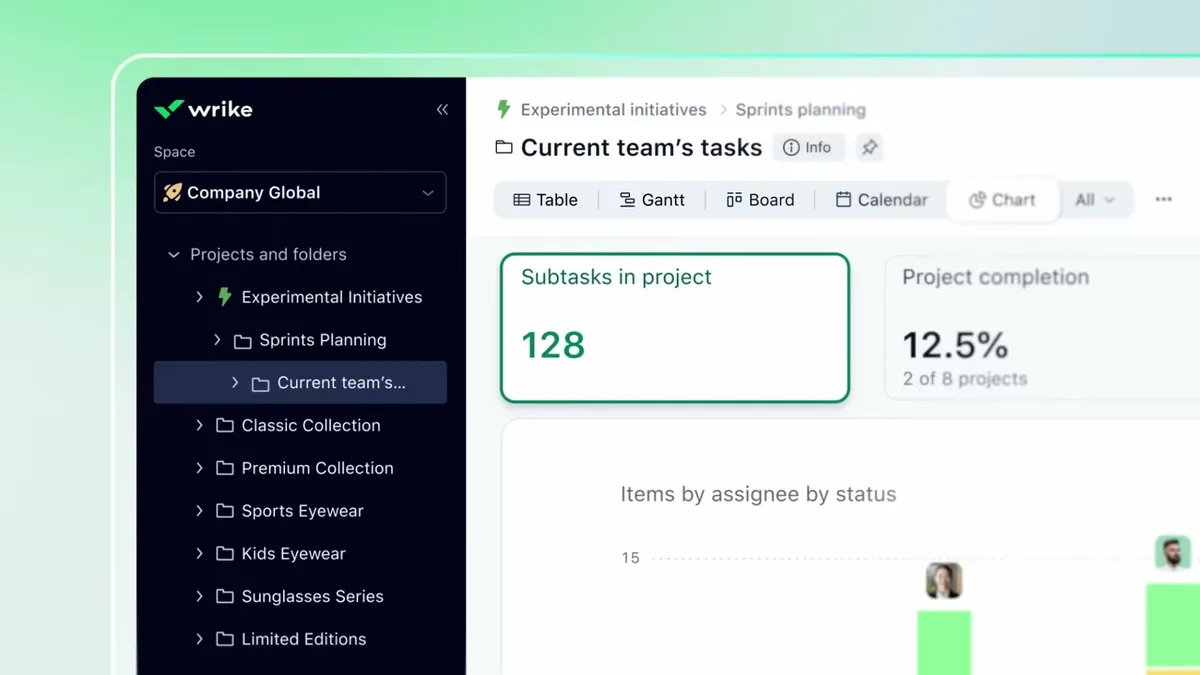
Mid-size teams have room to grow on it. Business covers 5 to 200 users at $25, and Pinnacle adds resource planning and budgeting on a quote.
Pick it if you need a plan for 5 to 200 people. Wrike’s Business plan is $25 per user per month billed annually and covers 5 to 200 users.
Skip it if you want the highest-rated tool. Wrike has the lowest G2 rating of the eight, 4.2 from 4,566 reviews.
What it costs you: Team is $10 for 2 to 15 users: $600 a year for 5 people and $1,200 for 10. Business is $1,500, $3,000 and $7,500 at 5, 10 and 25 people. Wrike’s page says the amounts are billed per user on an annual basis. Price source: the Wrike pricing page.
Features
| Feature | Status |
|---|---|
| Free tier | Yes: a free plan; the Team plan covers 2 to 15 users |
| Gantt or timeline | Interactive Gantt: Team plan and up |
| Time tracking | Not listed on the pricing page |
| Resource or workload | Advanced resource and capacity planning: Pinnacle plan (quote) |
| Dashboards and reporting | Shareable dashboard on Team; advanced reporting and BI on Pinnacle |
| Automation | Automations through Wrike Integrate: Apex plan (quote) |
| AI features | AI Essentials on Team; AI Elite on Business and up |
| Guest access | Not listed on the pricing page |
Wrike feature availability summary: Free tier (Yes: a free plan; the Team plan covers 2 to 15 users); Gantt or timeline (Interactive Gantt: Team plan and up); Time tracking (Not listed on the pricing page); Resource or workload (Advanced resource and capacity planning: Pinnacle plan (quote)); Dashboards and reporting (Shareable dashboard on Team; advanced reporting and BI on Pinnacle); Automation (Automations through Wrike Integrate: Apex plan (quote)); AI features (AI Essentials on Team; AI Elite on Business and up); and Guest access (Not listed on the pricing page).
Security and compliance
| Standard | Status |
|---|---|
| Uptime | Its security page states uptime over 99.9% |
| Not confirmed | SOC 2, ISO 27001, GDPR, HIPAA, SSO and audit logs: not listed in the page text we read |
Wrike security and compliance summary: Uptime: Its security page states uptime over 99.9%; and Not confirmed: SOC 2, ISO 27001, GDPR, HIPAA, SSO and audit logs: not listed in the page text we read.
Integrations
| Integration | Status |
|---|---|
| Not confirmed | Its integrations page did not load as text, so nothing is confirmed |
Wrike integration summary: Not confirmed: Its integrations page did not load as text, so nothing is confirmed.
Pricing
| Plan | Price | Best for |
|---|---|---|
| Free | $0 | Basic task management |
| Team | $10 per user per month, billed annually | 2 to 15 users (10 users: $1,200 a year) |
| Business | $25 per user per month, billed annually | 5 to 200 users (25 users: $7,500 a year) |
| Pinnacle | Contact sales | Complex workflows |
Pros and cons
What's great
- Has a Free plan at $0
- Team covers 2 to 15 users at $10, and Business covers 5 to 200 users at $25
- Trials need no credit card
Watch-outs
- Lowest G2 rating of the eight: 4.2 from 4,566 reviews
- Team stops at 15 users, so 25 people means Business at $7,500 a year
- Pinnacle and Apex are quote-only
Reviews
G2 4.2/5 from 4,566 reviews.
What reviewers mention most often, counted in the 30 most recent written reviews:
- Ease of use13 of 30 liked
- Collaboration and visibility13 of 30 liked
- Views, boards and features10 of 30 liked
- Customization and flexibility6 of 30 liked
- Hard to learn or set up10 of 30 raised as a complaint
- Reports or dashboards4 of 30 raised as a complaint
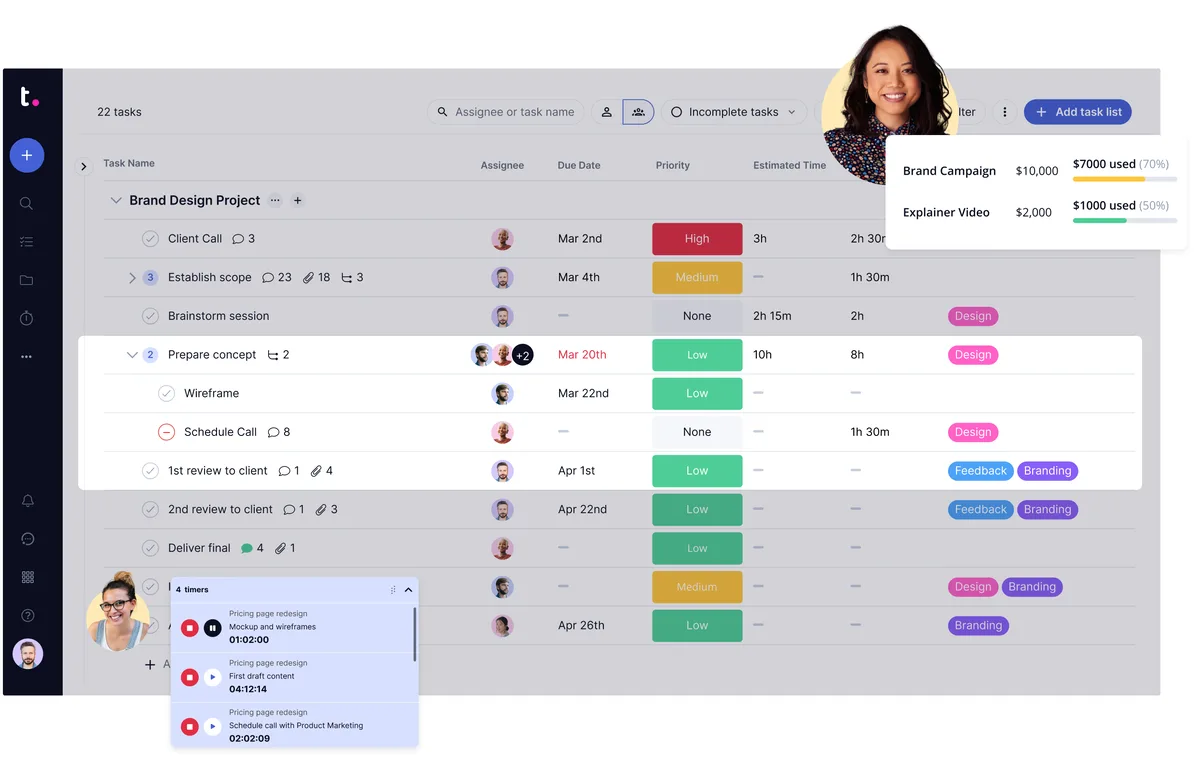
Screenshots of Teamwork.com 2 images
Quick summary
Why we picked Teamwork.com?
Client work is what it is made for. Basics tracks billable time at $9.99, and Accelerate adds live team capacity and time budgets at $24.99.
Pick it if you do client work. Teamwork describes its Optimize plan as for services businesses managing resources, budgets, and profitability.
Skip it if you want a published price for the profit tools, because Optimize is quote-only. The free plan is capped at 5 users and 5 projects, and Basics and Accelerate have a 14 day free trial.
What it costs you: Basics is $9.99 per user per month billed yearly: $599.40 a year for 5 people, $1,198.80 for 10 and $2,997 for 25. Accelerate is $24.99: $1,499.40, $2,998.80 and $7,497. G2 shows 4.4 from 1,218 reviews. We did not see a minimum seat count on the page. Price source: the Teamwork pricing page.
Features
| Feature | Status |
|---|---|
| Free tier | Free plan: up to 5 users and 5 projects, with Gantt, table, list and board views |
| Gantt or timeline | Gantt, table, list and board views: Basics plan and up |
| Time tracking | Track and report billable time: Basics plan and up |
| Resource or workload | Team workloads and live capacity on Accelerate; scheduling by role or skill on Optimize |
| Dashboards and reporting | Revenue, cost and profitability insights: Optimize plan (quote) |
| Automation | 20,000 a month on Accelerate, 100,000 on Optimize |
| AI features | AI Essentials on Basics |
| Guest access | Not listed on the pricing page |
Teamwork.com feature availability summary: Free tier (Free plan: up to 5 users and 5 projects, with Gantt, table, list and board views); Gantt or timeline (Gantt, table, list and board views: Basics plan and up); Time tracking (Track and report billable time: Basics plan and up); Resource or workload (Team workloads and live capacity on Accelerate; scheduling by role or skill on Optimize); Dashboards and reporting (Revenue, cost and profitability insights: Optimize plan (quote)); Automation (20,000 a month on Accelerate, 100,000 on Optimize); AI features (AI Essentials on Basics); and Guest access (Not listed on the pricing page).
Security and compliance
| Standard | Status |
|---|---|
| SOC 2 | SOC 2 Type 2 certified |
| ISO/IEC 27001 | ISO/IEC 27001:2022 certified |
| SSO / SAML | Enterprise plan |
| Not confirmed | GDPR, HIPAA and audit logs: not listed in the page text we read |
Teamwork.com security and compliance summary: SOC 2: SOC 2 Type 2 certified; ISO/IEC 27001: ISO/IEC 27001:2022 certified; SSO / SAML: Enterprise plan; and Not confirmed: GDPR, HIPAA and audit logs: not listed in the page text we read.
Integrations
| Integration | Status |
|---|---|
| Directory size | 150+ integrations |
| Slack | Yes |
| Public API | Yes |
| Not confirmed | Google Workspace, Microsoft 365 and Zapier: not confirmed in the page text we read |
Teamwork.com integration summary: Directory size: 150+ integrations; Slack: Yes; Public API: Yes; and Not confirmed: Google Workspace, Microsoft 365 and Zapier: not confirmed in the page text we read.
Pricing
| Plan | Price | Best for |
|---|---|---|
| Free | $0 | Up to 5 users and 5 projects |
| Basics | $9.99 per user per month, billed yearly | Small teams (10 people: $1,198.80 a year) |
| Accelerate | $24.99 per user per month, billed yearly | Growing teams that want smart forms and automations |
| Optimize | Let's talk | Services businesses that track budgets and profitability |
| Enterprise | Let's talk | Large service businesses that need SSO |
Pros and cons
What's great
- Built for client work: Optimize is aimed at services businesses managing resources, budgets and profitability
- Basics lists Gantt, table, list and board views and unlimited templates
- 14 day free trial with no credit card
Watch-outs
- The free plan is capped at 5 users and 5 projects
- Optimize and Enterprise are quote-only
- Smallest G2 review base of the eight: 1,218 reviews
Reviews
G2 4.4/5 from 1,218 reviews.
What reviewers mention most often, counted in the 30 most recent written reviews:
- Collaboration and visibility19 of 30 liked
- Views, boards and features14 of 30 liked
- Ease of use13 of 30 liked
- Integrations5 of 30 liked
- Hard to learn or set up8 of 30 raised as a complaint
- Reports or dashboards8 of 30 raised as a complaint
- Slow or buggy5 of 30 raised as a complaint
- Mobile app3 of 30 raised as a complaint
Which project management platforms AI assistants recommend
On 8 November 2026 we searched or asked Google, Perplexity, ChatGPT and Gemini the same question: “best project management software”. Here is what each one recommended.
| Assistant | First pick | Tools it named, in its order |
|---|---|---|
| Google AI Overview | Asana, listed first | Asana, Wrike, Jira, Zoho Projects, ClickUp, Trello, Basecamp |
| Perplexity | Asana | Asana, ClickUp, Jira, monday.com, Trello, Teamwork.com, Smartsheet, Adobe Workfront, Zoho Projects |
| ChatGPT | ClickUp | ClickUp, Asana, monday.com, Jira, Wrike, Smartsheet, Trello, Notion, Zoho Projects, Basecamp, and Teamwork.com for agencies |
| Gemini | monday.com, listed first | monday.com, Asana, Wrike, Smartsheet, Jira, Trello |
The assistants don’t agree on a first pick. Google and Perplexity lead with Asana, ChatGPT with ClickUp, and Gemini lists monday.com first. All four name Asana, Jira and Trello. Wrike is named by three of the four, even though it has the lowest G2 rating of the eight. Our picks above come from prices and reviews we read on the vendors’ own pages, so they differ in places.
Vendors we considered but excluded
We looked at more tools than the eight above. These stay off the ranking because we did not read their pricing and reviews the way we did for the eight.
- Notion: A workspace for notes, docs and wikis first, with project views added on top. Not built around plans and timelines the way the eight are.
- Basecamp: Built around to-do lists and message boards, a different approach from the plan-and-track tools here.
- Airtable: A database you shape into a tracker yourself. More build-your-own than ready-made project software.
- Celoxis: Aimed at PMOs that plan across many projects, a narrower fit than the general team tools here.
- Hive: A team task tool in the same space as ClickUp and Asana. We have not read its pricing or reviews, so it stays off the ranking for now.
Honorable mentions: more project management platforms to consider
Solid tools that did not crack the main list but are worth tracking, especially for niche use cases.
- Zoho Projects: Free plan for up to 5 users and G2 4.4 from 592 reviews; Zoho showed prices in rupees from our location, so we publish no US dollar price
- Microsoft Project: G2 4/5 from 1,627 reviews; Microsoft's page lists on-premises licences from $679.99 and a Server subscription, and we did not read a cloud per-user price
How to choose a reliable project management vendor, step by step
- Count your people. Free plans have limits: Asana and monday.com cover 2, Zoho Projects covers 5, Trello and Jira cover 10, and ClickUp has no member limit. If your team fits, you may not need to pay yet.
- Write down the one thing you can’t live without. Gantt charts are in ClickUp Core. Roles and permissions are in Jira Standard. Profit and budget tracking are what Teamwork’s Optimize plan is for. Extra board views are on Trello Premium.
- Check the price at your size, not the headline price. Trello is $5 billed annually and $6 billed monthly. Jira prices by user tier. monday.com’s price per seat rises as you add seats.
- Start with a free plan or trial and use real work. Teamwork has a 14 day free trial, and Wrike trials need no credit card. A pretend project won’t show you what breaks.
- Check the limits before you pay. ClickUp’s free plan lists 60 MB of storage. Wrike Team stops at 15 users. Smartsheet Business needs 3 or more members.
Prices and ratings change, so check the vendor’s page before you buy. If you spot something wrong, tell us at hello@saasreviewz.com and see our corrections policy.
Project management platform FAQs
What is the best software for project management?
It depends on team size and budget. For most small teams we pick ClickUp: free plan, Core at $9, G2 4.6 from 15,396 reviews.
Is there a free project management tool?
Yes. ClickUp is free for unlimited members. Trello and Jira are free for up to 10 people, Teamwork.com for 5, and Asana and monday.com for 2.
What is the cheapest paid project management tool here?
Trello Standard, at $5 per user per month billed annually. That is $300 a year for 5 people.
Which tool is best for software teams?
Jira. Its free plan covers 10 users and lists backlog, board and timeline views. Standard is $950 a year for 1 to 10 users.
Which tool suits agencies and client work?
Teamwork.com. Its Optimize plan targets services businesses, but it is quote-only. Basics is $9.99 per user per month.
How much does project management software cost for 10 people?
On annual billing, from $600 a year (Trello Standard) to $3,000 (Wrike Business). ClickUp Core is $1,080 and Asana Starter $1,318.80.
Which project management platform is top rated?
monday.com has the top G2 rating here: 4.7 from 17,945 reviews. ClickUp is next at 4.6 from 15,396.
Which project management vendor is the most reliable?
We found no uptime records for most vendors. Jira Premium lists a 99.9% uptime SLA on its pricing page. Ask any vendor for its uptime history.
Does Asana have a free plan?
Yes. Personal is $0 for 2 users, with unlimited tasks and projects. It is not free for 10 users.
What about Microsoft Project and Zoho Projects?
Zoho Projects is free for up to 5 users (G2 4.4 from 592 reviews). Microsoft Project lists on-premises licences from $679.99.