
Top-rated gantt chart software shortlist
Start with our expert picks, then switch tabs to narrow by team size, use case, budget or team type. Prices are on annual billing unless a row says otherwise.
- ClickUp: Best for teams that want Gantt charts without paying first. The Gantt view is on the free plan, and Core is $9 per user per month.
 ClickUp
- GanttPRO: Best for teams that want a dedicated Gantt tool at a low price. Core is $7 per user per month and every plan has the Gantt chart.
 GanttPRO
- TeamGantt: Best for small teams that want one flat price. Base is $59 a month for 5 projects, with no per-seat fee.
 TeamGantt
- Smartsheet: Best for teams that plan in grids. Pro is $9 per member per month and lists Gantt, table, board and calendar views.
 Smartsheet
- monday.com: Best for teams that want a Gantt view on a very well rated work tool. The Gantt view starts on Standard at $12 a seat.
 monday.com
- Wrike: Best for larger teams that need critical path and baseline tracking. The Team plan is $10 and lists interactive Gantt charts.
 Wrike
- Asana: Best for teams already on Asana. Timeline and Gantt views start on Starter at $10.99 per user per month.
 Asana
- Microsoft Project: Best for Microsoft 365 organizations that need critical path and baselines. Planner Plan 1 is $10 per user per month and Plan 3 is $30.
 Microsoft Project
Best forOur picks
- 1 to 10 peopleSmall team
ClickUp has a Gantt view on its free plan. GanttPRO Core is $7 per user per month at 20 members, and TeamGantt Base is a flat $59 a month for 5 projects.
- 11 to 25 peopleGrowing team
ClickUp Core is $2,700 a year for 25 people. Smartsheet Business is $5,700 for 25 members.
- 26 to 200 peopleMid-size team
Wrike Business covers 5 to 200 users at $25. Microsoft Planner and Project Plan 3 is $30 per user per month.
Best forOur picks
- Critical path and baselinesSchedule control
GanttPRO lists critical path and baseline on all plans. Wrike covers both in its Gantt help, and Microsoft has them on Plan 3.
- Gantt without paying firstFree Gantt
ClickUp's Gantt page says the Gantt view is free, and Core at $9 lists unlimited Gantt charts.
- Spreadsheet-style planningGrids and formulas
Gantt, table, board and calendar views with rich formulas, from Pro at $9.
- A few projects, flat priceNo per-seat bill
Base is $59 a month for 5 projects, 1 manager and 10 collaborators.
- Best reviewedHighest G2 ratings
GanttPRO and TeamGantt both show 4.8 on G2, from 589 and 895 reviews. monday.com shows 4.7 from 17,945.
Best forOur picks
- Free to startNo card needed
ClickUp is the only one of the eight with a Gantt view on a free plan. The monday.com and Asana free plans have no Gantt.
- Under $10 per user a monthAnnual billing
GanttPRO Core $7 (20 members), ClickUp Core $9, Smartsheet Pro $9.
- $10 to $20 per user a monthAnnual billing
Wrike Team $10, Microsoft Planner Plan 1 $10, Asana Starter $10.99, monday.com Standard $12, GanttPRO Business $17.
- $20 and up per user a monthAnnual billing
Wrike Business $25 and Microsoft Planner and Project Plan 3 $30.
Best forOur picks
- Operations and PMOPrograms and portfolios
Microsoft Plan 3 adds portfolios and baselines. Smartsheet has baselines and Wrike has project dependencies.
- Construction teamsField schedules
TeamGantt has a Builder edition for construction, from $199 a month for 10 projects.
- General business teamsSet it up your own way
General work tools with a Gantt or timeline view. ClickUp has a free Gantt, monday.com has the top G2 rating of the three.
We did not rank by industry. Most of these tools are general-purpose, so team size, use case, budget and team type are the fair ways to narrow the list.
How we evaluate gantt chart vendors
Every tool gets the same nine checks, all from public pages. We show no total score.
- Gantt depth 22%. Dependencies, critical path, baselines and milestones.
- Price at your team size 18%. What the plan with Gantt costs, per user or per project.
- Reviews and sentiment 14%. G2 rating, review count and the complaints we counted.
- Ease of use and setup 10%. Reviewer complaints about the learning curve and setup.
- Resource and workload views 8%. Whether you can see who is overloaded.
- Free plan or trial 8%. Whether you can try the Gantt view before paying.
- Import, export and integrations 8%. MS Project, Excel, Slack, Microsoft 365 and API.
- Security and compliance 6%. Certifications, SSO and audit logs on the vendor pages.
- Team size and use-case fit 6%. Seat and project limits, and what the tool is built for.
Read the full SaaSReviewz.com methodology, the scoring criteria, weights, and the data we collect for every tool.
Top-rated gantt chart platforms compared: features, pricing and ratings
You are choosing gantt chart software for a team. The right tool depends on the plan that first includes Gantt, how many people and projects you have, and whether you need critical path and baselines. This page gives you a pick for each situation, with prices taken from each vendor's own pricing page.
| Tool | Best for | Starting price | Free trial | External rating |
|---|---|---|---|---|
|
ClickUp | Best for teams that want Gantt charts without paying first | $9 per user per month, billed yearly (Core) | Free Forever plan includes the Gantt view | G2 4.6/5 (15,396 reviews) |
|
GanttPRO | Best for teams that want a dedicated Gantt tool at a low price | $7 per user per month, billed annually (Core, shown for 20 members) | 14-day free trial, no credit card | G2 4.8/5 (589 reviews) |
|
TeamGantt | Best for small teams that want one flat price | $59 a month, or $589 a year, for 5 projects (Base) | 14-day free trial, cancel anytime | G2 4.8/5 (895 reviews) |
|
Smartsheet | Best for teams that plan in grids | $9 per member per month, billed yearly (Pro, 1 to 10 members) | Try for free (no free plan seen) | G2 4.4/5 (23,146 reviews) |
|
monday.com | Best for teams that want a Gantt view on a very well rated work tool | $12 per seat per month, billed yearly (Standard) | Free plan for up to 2 seats, without the Gantt view | G2 4.7/5 (17,945 reviews) |
|
Wrike | Best for larger teams that need critical path and baseline tracking | $10 per user per month, billed annually (Team, 2 to 15 users) | Free plan without Gantt; trials need no credit card | G2 4.2/5 (4,566 reviews) |
|
Asana | Best for teams already on Asana | $10.99 per user per month, billed annually (Starter) | Free plan for 2 users, without timeline | G2 4.4/5 (14,110 reviews) |
|
Microsoft Project | Best for Microsoft 365 organizations that need critical path and baselines | $10 per user per month, paid yearly (Planner Plan 1) | Try for free on the paid plans | G2 4/5 (1,627 reviews) |
What is gantt chart software?
Gantt chart software lets teams plan work on a timeline, link tasks that depend on each other, and see who is doing what and by when.
Key features to look for in a gantt chart platform
Check these six things before you compare prices, and match each one to your own team. When a feature sits on a paid plan, the plan name is the one the vendor shows.
Dependencies. A Gantt chart is only useful if moving one task moves the ones that depend on it. GanttPRO lists dependencies on every plan, and monday.com uses a dependency column with arrow lines between items.
Critical path. This shows the chain of tasks that sets your end date. ClickUp lets you switch on critical path and slack time, monday.com keeps it for Pro and Enterprise, and Microsoft has it on Planner and Project Plan 3.
Baselines. A baseline saves your original plan so you can see what slipped. monday.com saves snapshots from the Gantt settings, Smartsheet adds read-only Baseline Start, Baseline Finish and Variance columns, and GanttPRO lists baseline on all plans.
Resource and workload views. If you need to see who is overloaded, check the plan. Smartsheet has workload tracking on Business, Wrike has resource planning on Pinnacle, and ClickUp has resource management on Business.
Import and export. GanttPRO imports MS Project .mpp, Excel and Jira Cloud files, and TeamGantt exports to CSV, PDF and Microsoft Project format.
The plan that first includes Gantt. A low starting price can mislead. monday.com has no Gantt on its free plan and needs Standard, and Asana needs Starter.
If you want a general work tool and Gantt is only one view, see our guide to the best project management software.
What project managers say to check when choosing a gantt chart platform
We read public posts by project managers and agile writers on LinkedIn, Quora and Scrum.org. We quote them as written and link each one. They are the writers’ views, not our test results.
What to check: dependencies
“It lacks native support for task dependencies, making complex project tracking cumbersome.”
What to check: critical path
“…your gantt chart shows a critical path, if not then investigate the tasks dependencies.”
What to check: baselines
“Save a project baseline for reference.”
What to check: who wrote the list
“…most of these questions about what is the best tool or the preferred tool or the magic formula, are written by people who have something to push.”
What to check: your method
“…project scheduling and tracking is not as important an objective as it is in a traditional plan-driven project.”
What to check: does your team need a fixed sequence
“Visualisation isn’t the enemy—rigid sequencing is.”
How to choose reliable gantt chart software, step by step
- Count your people and projects. TeamGantt prices by project, not by person. GanttPRO, ClickUp and monday.com price by person.
- Write down the one control you can’t live without. Critical path, baselines, resource workload, or an MS Project import. Each sits on a different plan at each tool.
- Check the plan that first includes Gantt. monday.com needs Standard at $12, and Asana needs Starter at $10.99.
- Start with a free plan or trial and use a real project. ClickUp has a free Gantt view, and GanttPRO and TeamGantt have 14-day trials.
- Check the limits before you pay. TeamGantt Base allows 5 projects, Wrike Team stops at 15 users, and Smartsheet Pro covers 1 to 10 members.
The 8 most recommended gantt chart tools, reviewed
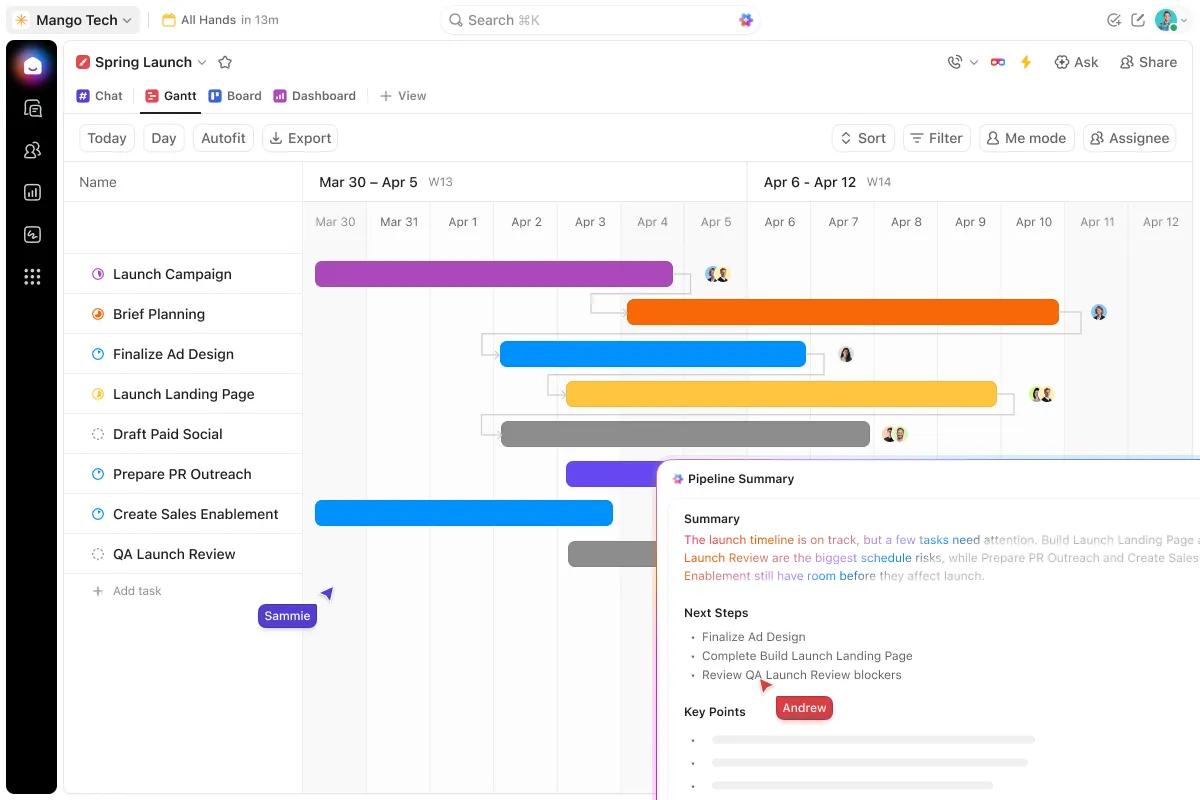
Screenshots of ClickUp 1 images
Quick summary
Why we picked ClickUp?
Gantt on the free plan is rare. ClickUp's own Gantt page says it is free, and Core at $9 lists unlimited Gantt charts.
Pick it if you want a Gantt chart before you pay anything. ClickUp’s Gantt page lists dependencies, critical path, slack time and baselines, and the free plan has no member limit.
Skip it if you need heavy resource planning on a small budget. Resource management is on Business at $17, and the free plan lists 60 MB of storage.
What it costs you: Core is $9 per user per month billed yearly. That is $540 a year for 5 people, $1,080 for 10 and $2,700 for 25. The G2 page shows 4.6 from 15,396 reviews. Price source: the ClickUp pricing page.
Features
| Feature | Status |
|---|---|
| Free tier | Gantt view on the free plan; Core lists unlimited Gantt charts |
| Dependencies | Dependencies and dependent deadlines that move in one drag |
| Critical path | Critical path and slack time can be switched on |
| Baselines | Baselines overlay the saved plan on the live Gantt (plan not stated on the page we read) |
| Resource or workload view | Resource management: Business plan and up |
| Import and export | Not stated on the Gantt page we read |
ClickUp feature availability summary: Free tier (Gantt view on the free plan; Core lists unlimited Gantt charts); Dependencies (Dependencies and dependent deadlines that move in one drag); Critical path (Critical path and slack time can be switched on); Baselines (Baselines overlay the saved plan on the live Gantt (plan not stated on the page we read)); Resource or workload view (Resource management: Business plan and up); and Import and export (Not stated on the Gantt page we read).
Security and compliance
| Standard | Status |
|---|---|
| SSO / SAML | Google SSO on Business; SAML on Enterprise |
| Audit logs | Enterprise plan |
| Certifications | SOC 2, ISO/IEC 27001 and GDPR listed on its security page |
ClickUp security and compliance summary: SSO / SAML: Google SSO on Business; SAML on Enterprise; Audit logs: Enterprise plan; and Certifications: SOC 2, ISO/IEC 27001 and GDPR listed on its security page.
Integrations
| Integration | Status |
|---|---|
| Public API | Public API, with more than 1,000 integrations listed |
| Chat and files | Slack, Google Drive and Outlook named |
ClickUp integration summary: Public API: Public API, with more than 1,000 integrations listed; and Chat and files: Slack, Google Drive and Outlook named.
Pricing
| Plan | Price | Best for |
|---|---|---|
| Free Forever | $0 | Try the Gantt view first |
| Core | $9 per user per month, billed yearly | Unlimited Gantt charts, forms and guests |
| Business | $17 per user per month, billed yearly | Resource management when a Gantt alone is not enough |
| Enterprise | Custom | SAML sign-in and audit logs |
Pros and cons
What's great
- Gantt view on the free plan, with a $9 Core plan for unlimited Gantt charts
- Critical path, slack time and baselines on the Gantt page
- G2 rating of 4.6 from 15,396 reviews
Watch-outs
- The free plan lists 60 MB of storage
- Resource management starts on the $17 Business plan
- Reviewers raise a steep start: 7 of the 30 we counted
Reviews
G2 4.6/5 from 15,396 reviews.
What reviewers mention most often, counted in the 30 most recent written reviews:
- Views, boards and features17 of 30 liked
- Ease of use14 of 30 liked
- Collaboration and visibility12 of 30 liked
- Customization and flexibility7 of 30 liked
- Hard to learn or set up7 of 30 raised as a complaint
- Slow or buggy6 of 30 raised as a complaint
- Mobile app5 of 30 raised as a complaint
- Reports or dashboards3 of 30 raised as a complaint
Quick summary
Why we picked GanttPRO?
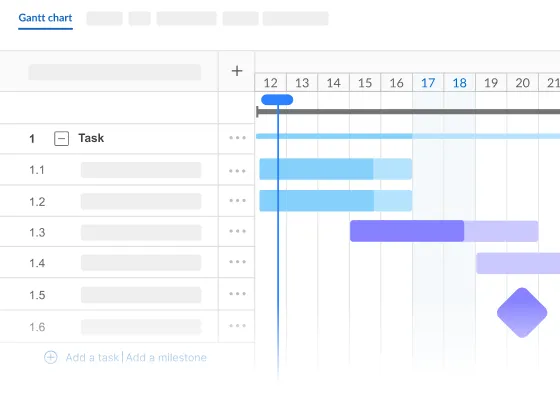
Gantt is the whole product here. Critical path, baseline and dependencies are on all four plans, from $7 per user per month.
Pick it if the Gantt chart is the main thing you need. Core is $7 per user per month for a 20-member team on annual billing, and the plan list shows dependencies, critical path, baseline and milestones on all four plans.
Skip it if you want a free plan. We saw a 14-day free trial with no credit card, but no free plan.
What it costs you: GanttPRO prices fall as the team grows, so the plan prices shown are for 20 members: Core $7, Advanced $10 and Business $17 per user per month billed annually. Advanced adds overdue tasks, custom fields and project templates, and Business adds reports. The G2 page shows 4.8 from 589 reviews. Price source: the GanttPRO pricing page.
Features
| Feature | Status |
|---|---|
| Free tier | No free plan seen; 14-day free trial |
| Dependencies | Dependencies on all plans |
| Critical path | Critical path on all plans |
| Baselines | Baseline on all plans |
| Resource or workload view | Virtual resources on Core; resource workload not checked |
| Import and export | Imports MS Project .mpp, Excel and CSV files, and Jira Cloud projects |
GanttPRO feature availability summary: Free tier (No free plan seen; 14-day free trial); Dependencies (Dependencies on all plans); Critical path (Critical path on all plans); Baselines (Baseline on all plans); Resource or workload view (Virtual resources on Core; resource workload not checked); and Import and export (Imports MS Project .mpp, Excel and CSV files, and Jira Cloud projects).
Security and compliance
| Standard | Status |
|---|---|
| SSO / SAML | SAML SSO on Enterprise |
| Not confirmed | SOC 2, ISO 27001, GDPR and audit logs: not listed on the pages we read |
| 2fa | Two-factor authentication listed |
GanttPRO security and compliance summary: SSO / SAML: SAML SSO on Enterprise; Not confirmed: SOC 2, ISO 27001, GDPR and audit logs: not listed on the pages we read; and 2fa: Two-factor authentication listed.
Integrations
| Integration | Status |
|---|---|
| Slack | Yes |
| Google Workspace | Google Drive named |
| Microsoft 365 and Teams | OneDrive, Microsoft Teams and Excel named |
| Zapier | Not confirmed on the page we read |
| Public API | Open API |
GanttPRO integration summary: Slack: Yes; Google Workspace: Google Drive named; Microsoft 365 and Teams: OneDrive, Microsoft Teams and Excel named; Zapier: Not confirmed on the page we read; and Public API: Open API.
Pricing
| Plan | Price | Best for |
|---|---|---|
| Core | $7 per user per month, billed annually (20 members) | Smaller teams that need Gantt charts and auto scheduling |
| Advanced | $10 per user per month, billed annually (20 members) | Custom fields, filters and templates |
| Business | $17 per user per month, billed annually (20 members) | Reports |
| Enterprise | Contact sales | SAML SSO and custom roles |
Pros and cons
What's great
- Critical path, baseline, dependencies and milestones on every plan
- Imports MS Project, Excel and Jira Cloud files
- G2 rating of 4.8 from 589 reviews
Watch-outs
- No free plan seen, only a 14-day trial
- Overdue tasks, custom fields and filters need Advanced at $10
- Price is the most common complaint: 6 of the 30 reviews we counted
Reviews
G2 4.8/5 from 589 reviews.
What reviewers mention most often, counted in the 30 most recent written reviews:
- Ease of use28 of 30 liked
- Views, boards and features28 of 30 liked
- Collaboration and visibility11 of 30 liked
- Price or cost6 of 30 raised as a complaint
- Mobile app3 of 30 raised as a complaint
- Reports or dashboards3 of 30 raised as a complaint
Quick summary
Why we picked TeamGantt?
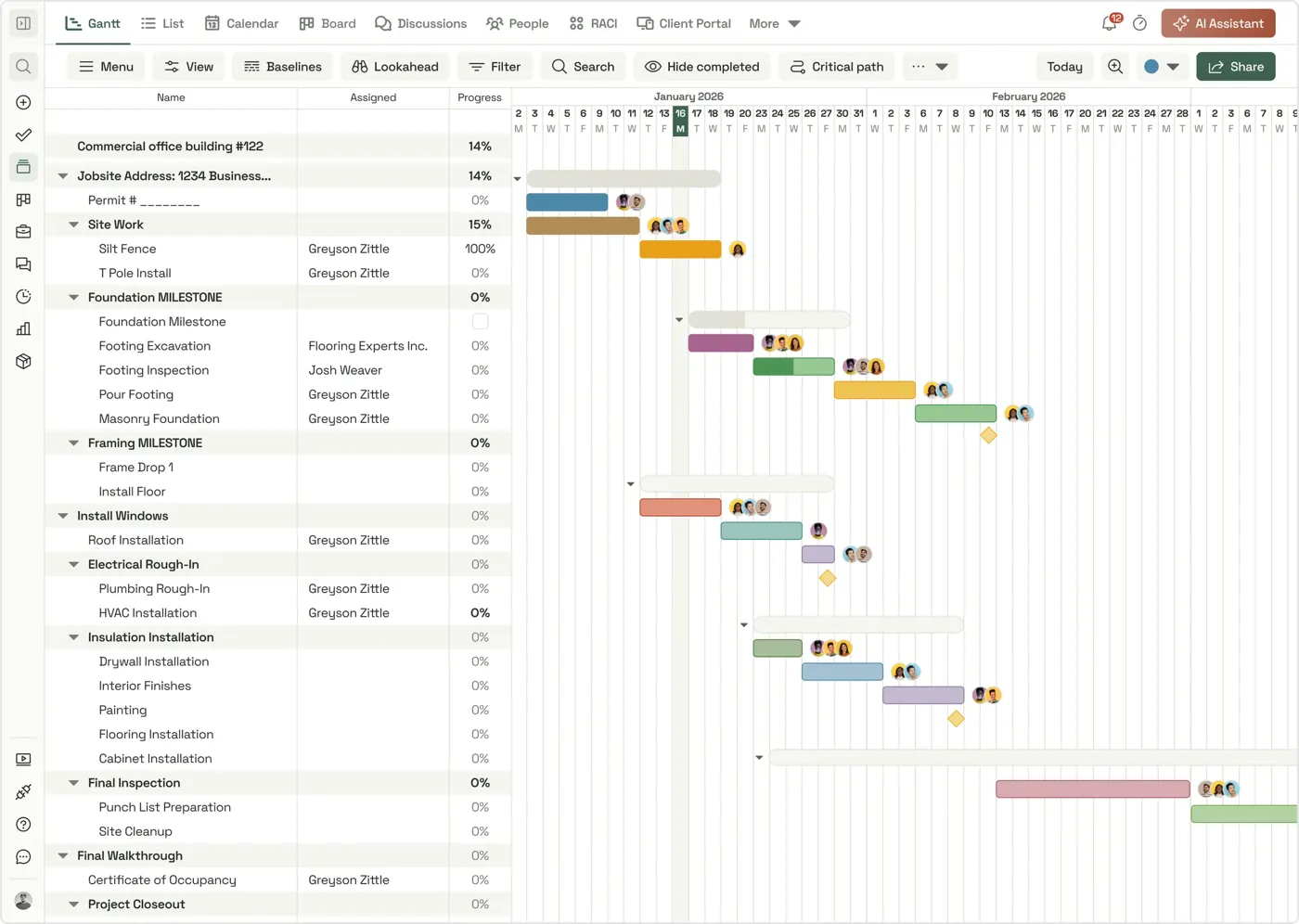
Most tools charge per seat. TeamGantt's Base plan is $59 a month flat for 5 projects and includes critical path scheduling.
Pick it if you have a small team and a handful of projects. Base is $59 a month, or $589 billed yearly, for 5 projects, 1 manager and 10 collaborators, with no per-seat bill.
Skip it if you run many projects or need many managers. Business starts at $120 a month for 5 projects and adds $24 a month for each extra project, and it is capped at 20 projects.
What it costs you: Base is $589 a year and Business starts at $1,140 a year, both for 5 projects. A construction edition, Builder, starts at $199 a month for 10 projects. The G2 page shows 4.8 from 895 reviews. Price source: the TeamGantt pricing page.
Features
| Feature | Status |
|---|---|
| Free tier | No free plan seen; 14-day free trial |
| Dependencies | Advanced dependencies listed in its feature comparison |
| Critical path | Critical path scheduling listed on Base |
| Baselines | Not confirmed on the pages we read |
| Resource or workload view | Workload management and team resourcing listed in its feature comparison |
| Import and export | Exports to CSV, PDF and Microsoft Project format |
TeamGantt feature availability summary: Free tier (No free plan seen; 14-day free trial); Dependencies (Advanced dependencies listed in its feature comparison); Critical path (Critical path scheduling listed on Base); Baselines (Not confirmed on the pages we read); Resource or workload view (Workload management and team resourcing listed in its feature comparison); and Import and export (Exports to CSV, PDF and Microsoft Project format).
Security and compliance
| Standard | Status |
|---|---|
| SSO / SAML | SSO on Enterprise |
| Not confirmed | SOC 2, ISO 27001, GDPR, HIPAA and audit logs: not listed on the page we read |
TeamGantt security and compliance summary: SSO / SAML: SSO on Enterprise; and Not confirmed: SOC 2, ISO 27001, GDPR, HIPAA and audit logs: not listed on the page we read.
Integrations
| Integration | Status |
|---|---|
| Slack | Yes |
| Zapier | Yes |
| Not confirmed | Basecamp and Trello are named; Google Workspace and Microsoft 365 not confirmed on the page we read |
TeamGantt integration summary: Slack: Yes; Zapier: Yes; and Not confirmed: Basecamp and Trello are named; Google Workspace and Microsoft 365 not confirmed on the page we read.
Pricing
| Plan | Price | Best for |
|---|---|---|
| Base | $59 a month, or $589 a year | 5 projects, 1 manager and 10 collaborators |
| Business | From $120 a month, or $1,140 a year | Unlimited managers and collaborators, up to 20 projects |
| Builder Edition | From $199 a month, or $1,908 a year | Construction teams, 10 projects |
| Enterprise | Talk to sales | SSO, advanced reporting and forecasting |
Pros and cons
What's great
- One flat price: $59 a month for 5 projects, no per-seat fee
- Critical path scheduling on the Base plan
- G2 rating of 4.8 from 895 reviews
Watch-outs
- Base allows 1 manager and 10 collaborators, and 5 projects
- Each extra project on Business is $24 a month
- The 30 reviews we read run from May 2023 to April 2026, so they are older than for other tools
Reviews
G2 4.8/5 from 895 reviews.
What reviewers mention most often, counted in the 30 most recent written reviews:
- Views, boards and features20 of 30 liked
- Ease of use18 of 30 liked
- Collaboration and visibility12 of 30 liked
- Reports or dashboards6 of 30 raised as a complaint
Quick summary
Why we picked Smartsheet?
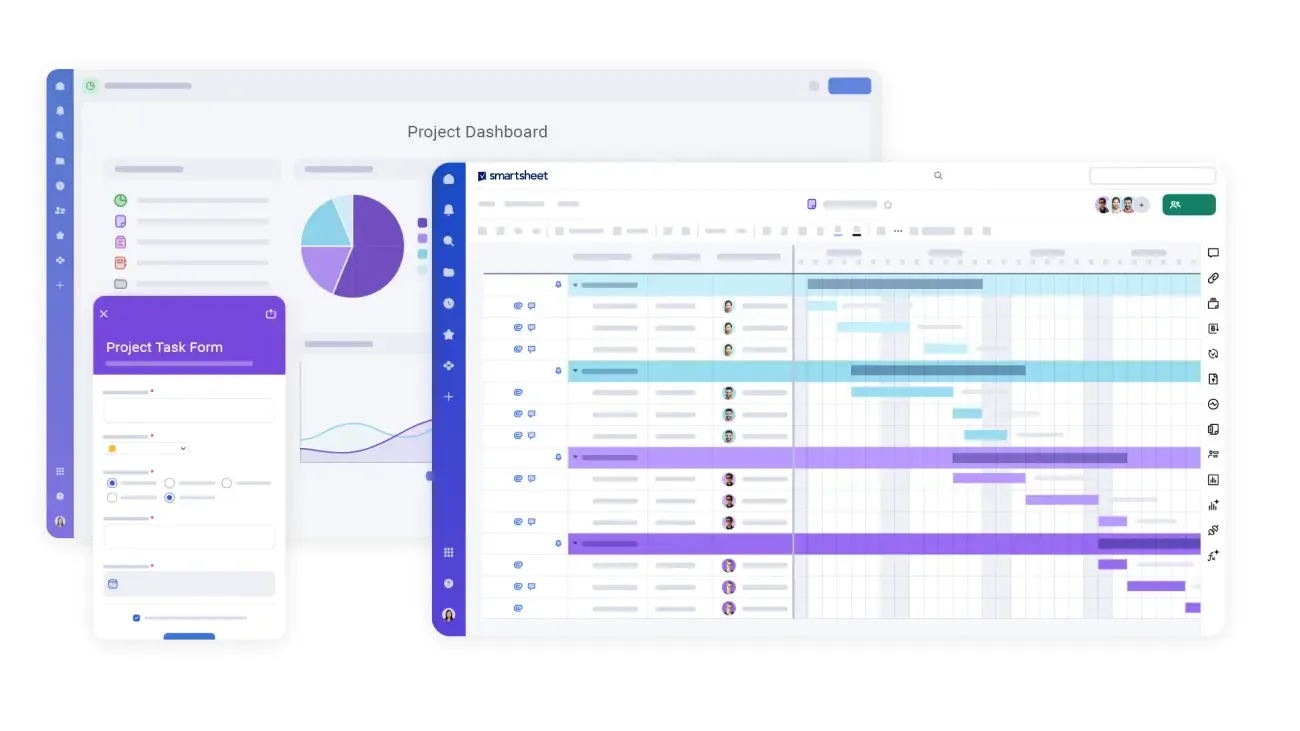
If your team plans in a grid, the Gantt sits on top of the same sheet. Pro at $9 lists Gantt, and its help center covers baselines and critical path.
Pick it if your team already plans in a grid. Pro is $9 per member per month billed yearly for 1 to 10 members, with Gantt, table, board and calendar views and rich formulas.
Skip it if you want a free plan. We saw a free trial button but no free plan.
What it costs you: Pro is $540 a year for 5 members and $1,080 for 10. Business is $19 for 3 or more members: $1,140, $2,280 and $5,700 at 5, 10 and 25 people. The G2 page shows 4.4 from 23,146 reviews. Price source: the Smartsheet pricing page.
Features
| Feature | Status |
|---|---|
| Free tier | No free plan seen |
| Dependencies | Dependencies covered in its Gantt help |
| Critical path | Critical path covered in its Gantt help |
| Baselines | Baseline Start, Baseline Finish and Variance columns; only sheet Owners or Admins can create baselines |
| Resource or workload view | Workload tracking on Business |
| Import and export | Not confirmed on the pages we read |
Smartsheet feature availability summary: Free tier (No free plan seen); Dependencies (Dependencies covered in its Gantt help); Critical path (Critical path covered in its Gantt help); Baselines (Baseline Start, Baseline Finish and Variance columns; only sheet Owners or Admins can create baselines); Resource or workload view (Workload tracking on Business); and Import and export (Not confirmed on the pages we read).
Security and compliance
| Standard | Status |
|---|---|
| SSO / SAML | SAML-based SSO on Enterprise |
| Not confirmed | SOC 2, ISO 27001 and audit logs: not listed in the text we read |
| Certifications | GDPR and CCPA named on its trust page |
Smartsheet security and compliance summary: SSO / SAML: SAML-based SSO on Enterprise; Not confirmed: SOC 2, ISO 27001 and audit logs: not listed in the text we read; and Certifications: GDPR and CCPA named on its trust page.
Integrations
| Integration | Status |
|---|---|
| Not confirmed | Google Workspace, Zapier and API: not confirmed in the text we read |
| Chat and files | Slack and Microsoft apps named |
Smartsheet integration summary: Not confirmed: Google Workspace, Zapier and API: not confirmed in the text we read; and Chat and files: Slack and Microsoft apps named.
Pricing
| Plan | Price | Best for |
|---|---|---|
| Pro | $9 per member per month, billed yearly | Gantt view, up to 10 members |
| Business | $19 per member per month, billed yearly | Timeline view and workload tracking, 3 or more members |
| Enterprise | Custom | Larger organizations, 10 or more members |
Pros and cons
What's great
- Gantt, table, board and calendar views from Pro at $9
- Baselines add read-only Baseline Start, Baseline Finish and Variance columns
- The most G2 reviews of the eight here: 23,146
Watch-outs
- No free plan seen, only a trial
- Pro covers 1 to 10 members, and Business needs 3 or more
- Only sheet Owners or Admins can create baselines
Reviews
G2 4.4/5 from 23,146 reviews.
What reviewers mention most often, counted in the 30 most recent written reviews:
- Ease of use14 of 30 liked
- Collaboration and visibility7 of 30 liked
- Hard to learn or set up5 of 30 raised as a complaint
- Slow or buggy3 of 30 raised as a complaint
- Reports or dashboards2 of 30 raised as a complaint
- Price or cost2 of 30 raised as a complaint
Screenshots of monday.com 1 images
Quick summary
Why we picked monday.com?
monday.com has the top G2 rating of the eight, 4.7 from 17,945 reviews. Gantt starts on Standard at $12, and critical path on Pro.
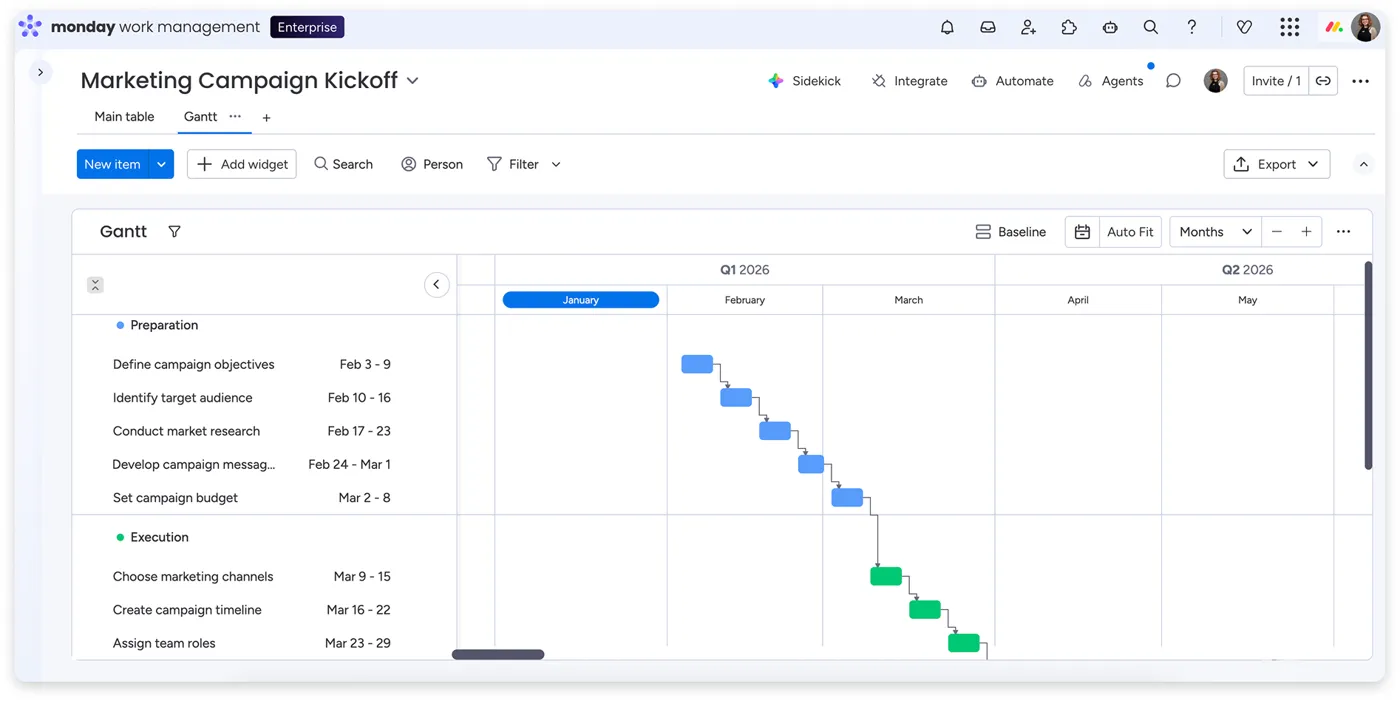
Pick it if you want a Gantt view on a tool teams like using. monday.com’s help center says the Gantt view is on the Standard plan and up, with a dependency column and baseline snapshots.
Skip it if you need critical path on a small budget. Milestone and critical path features are only on Pro and Enterprise, and Pro is $19 a seat.
What it costs you: Standard is $12 a seat per month billed yearly: $720 a year for 5 people, $1,440 for 10 and $3,840 for 25. The G2 page shows 4.7 from 17,945 reviews. Price source: the monday.com pricing page.
Features
| Feature | Status |
|---|---|
| Free tier | No Gantt on the free plan; the Gantt view is on Standard and up |
| Dependencies | Dependency column and arrow lines between items |
| Critical path | Critical path on Pro and Enterprise only |
| Baselines | Baseline snapshots saved from the Gantt settings |
| Resource or workload view | Not confirmed on the pages we read |
| Import and export | Not confirmed on the pages we read |
monday.com feature availability summary: Free tier (No Gantt on the free plan; the Gantt view is on Standard and up); Dependencies (Dependency column and arrow lines between items); Critical path (Critical path on Pro and Enterprise only); Baselines (Baseline snapshots saved from the Gantt settings); Resource or workload view (Not confirmed on the pages we read); and Import and export (Not confirmed on the pages we read).
Security and compliance
| Standard | Status |
|---|---|
| SSO / SAML | Not listed on its trust centre; security and governance on Enterprise |
| Not confirmed | Audit logs: not listed on the pages we read |
| Certifications | SOC 2 Type II, ISO/IEC 27001:2022 and GDPR listed on its trust centre |
monday.com security and compliance summary: SSO / SAML: Not listed on its trust centre; security and governance on Enterprise; Not confirmed: Audit logs: not listed on the pages we read; and Certifications: SOC 2 Type II, ISO/IEC 27001:2022 and GDPR listed on its trust centre.
Integrations
| Integration | Status |
|---|---|
| Public API | API listed, with more than 850 integrations |
| Chat and files | Microsoft apps named; Slack and Google Workspace not confirmed |
monday.com integration summary: Public API: API listed, with more than 850 integrations; and Chat and files: Microsoft apps named; Slack and Google Workspace not confirmed.
Pricing
| Plan | Price | Best for |
|---|---|---|
| Free | $0 | Boards only, no Gantt view |
| Basic | $9 per seat per month, billed yearly | No Gantt view either |
| Standard | $12 per seat per month, billed yearly | Gantt view and baselines |
| Pro | $19 per seat per month, billed yearly | Critical path and milestones |
Pros and cons
What's great
- Top G2 rating of the eight: 4.7 from 17,945 reviews
- Baseline snapshots and dependencies in the Gantt view
- Gantt view starts on Standard at $12
Watch-outs
- The free plan has no Gantt view
- Critical path and milestones need Pro or Enterprise
- Price is a common complaint: 6 of the 30 reviews we counted
Reviews
G2 4.7/5 from 17,945 reviews.
What reviewers mention most often, counted in the 30 most recent written reviews:
- Ease of use18 of 30 liked
- Views, boards and features13 of 30 liked
- Collaboration and visibility10 of 30 liked
- Price or cost6 of 30 raised as a complaint
- Hard to learn or set up4 of 30 raised as a complaint
- Slow or buggy2 of 30 raised as a complaint
Screenshots of Wrike 1 images
Quick summary
Why we picked Wrike?
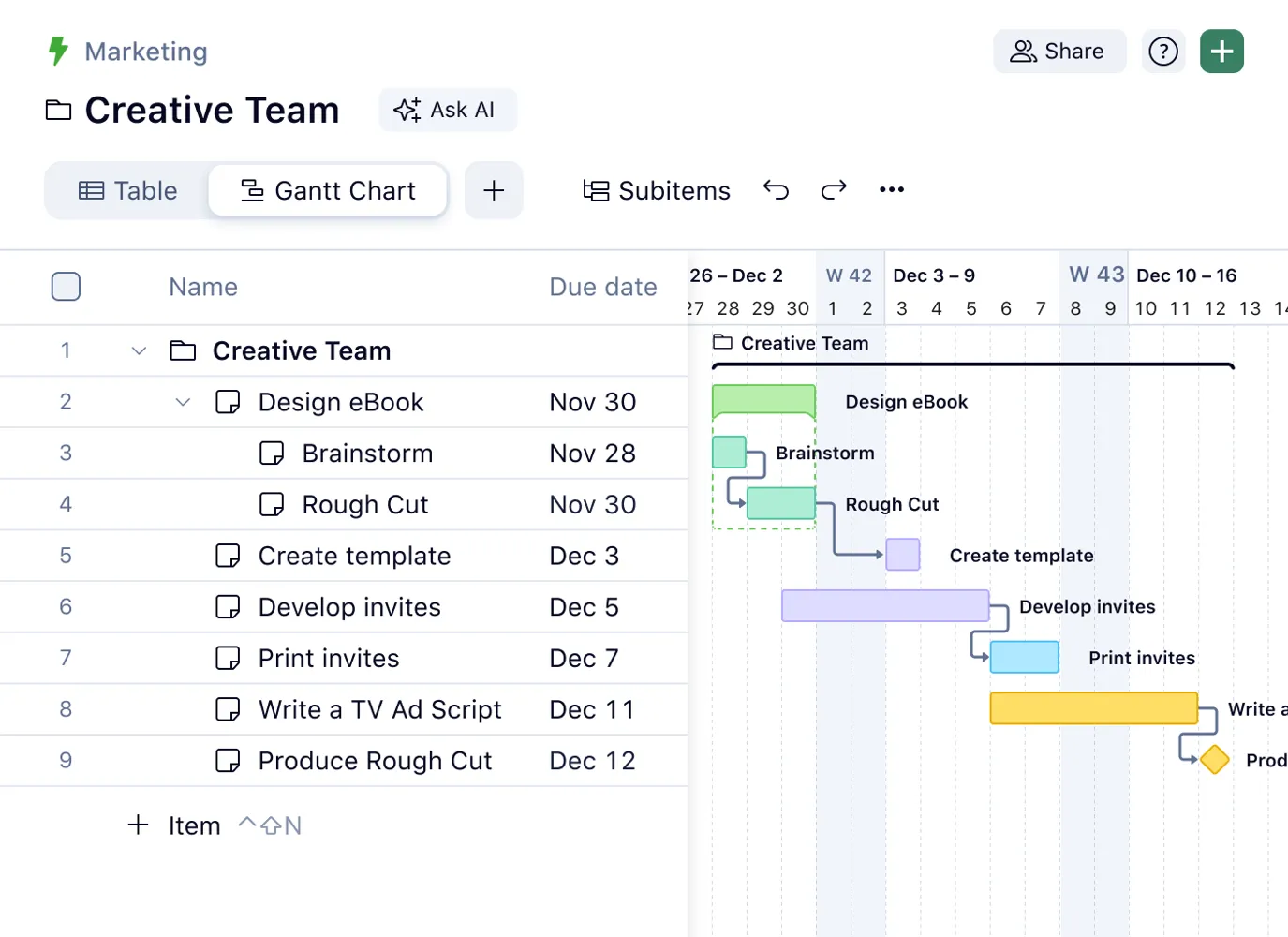
Wrike's Gantt help covers task and project dependencies, lead and lag, critical path and baseline tracking, from the $10 Team plan.
Pick it if you want the full set of scheduling controls. Wrike’s Gantt help center has sections on task dependencies, project dependencies, lead and lag time, critical path and baseline tracking.
Skip it if you want the highest-rated tool. Wrike has the lowest G2 rating of the eight, 4.2 from 4,566 reviews.
What it costs you: Team is $10 for 2 to 15 users: $600 a year for 5 people and $1,200 for 10. Business is $25 and covers 5 to 200 users: $1,500, $3,000 and $7,500 at 5, 10 and 25 people. Price source: the Wrike pricing page.
Features
| Feature | Status |
|---|---|
| Free tier | Gantt on paid accounts; the free plan is task management |
| Dependencies | Task and project dependencies, with lead and lag time |
| Critical path | Critical path, with the option to filter to it |
| Baselines | Baseline tracking covered in its Gantt help |
| Resource or workload view | Resource and capacity planning on Pinnacle (quote) |
| Import and export | Not confirmed on the pages we read |
Wrike feature availability summary: Free tier (Gantt on paid accounts; the free plan is task management); Dependencies (Task and project dependencies, with lead and lag time); Critical path (Critical path, with the option to filter to it); Baselines (Baseline tracking covered in its Gantt help); Resource or workload view (Resource and capacity planning on Pinnacle (quote)); and Import and export (Not confirmed on the pages we read).
Security and compliance
| Standard | Status |
|---|---|
| Uptime | Its security page states uptime over 99.9% |
| Not confirmed | Certifications, SSO and audit logs: not listed in the text we read |
Wrike security and compliance summary: Uptime: Its security page states uptime over 99.9%; and Not confirmed: Certifications, SSO and audit logs: not listed in the text we read.
Integrations
| Integration | Status |
|---|---|
| Not confirmed | Its integrations page did not load as text, so nothing is confirmed |
Wrike integration summary: Not confirmed: Its integrations page did not load as text, so nothing is confirmed.
Pricing
| Plan | Price | Best for |
|---|---|---|
| Free | $0 | No Gantt chart |
| Team | $10 per user per month, billed annually | Interactive Gantt charts, 2 to 15 users |
| Business | $25 per user per month, billed annually | Larger teams, 5 to 200 users |
| Pinnacle | Contact sales | Resource and capacity planning |
Pros and cons
What's great
- Dependencies, lead and lag, critical path and baseline tracking in its Gantt help
- Team plan at $10 lists interactive Gantt charts
- Free trials need no credit card
Watch-outs
- Lowest G2 rating of the eight: 4.2 from 4,566 reviews
- Team covers only 2 to 15 users
- Reviewers raise a steep start: 10 of the 30 we counted
Reviews
G2 4.2/5 from 4,566 reviews.
What reviewers mention most often, counted in the 30 most recent written reviews:
- Ease of use13 of 30 liked
- Collaboration and visibility13 of 30 liked
- Views, boards and features10 of 30 liked
- Customization and flexibility6 of 30 liked
- Hard to learn or set up10 of 30 raised as a complaint
- Reports or dashboards4 of 30 raised as a complaint
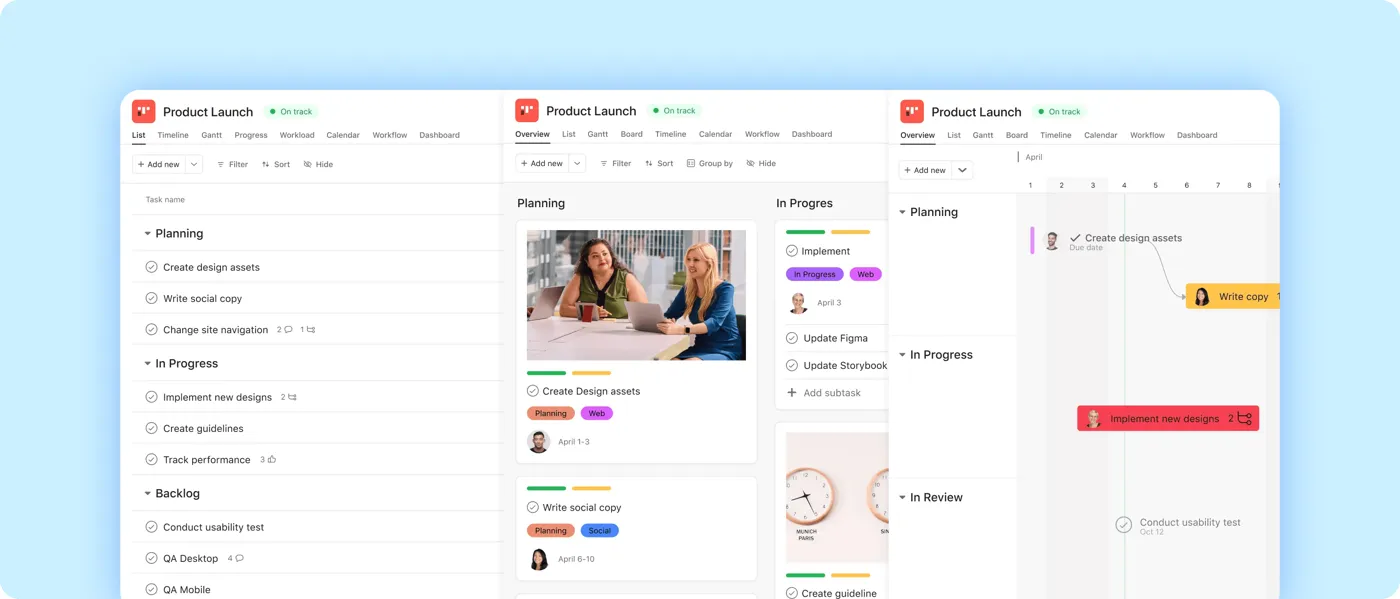
Quick summary
Why we picked Asana?
If your team already runs on Asana, the timeline is one tab away. Starter at $10.99 lists timeline and Gantt views with dependencies.
Pick it if your team already uses Asana. Asana’s own page says you can drag and drop tasks to update dates and see dependency chains in the timeline, and Starter lists timeline and Gantt views.
Skip it if you need baselines or a critical path. We did not confirm either on the pages we read.
What it costs you: Starter is $659.40 a year for 5 people, $1,318.80 for 10 and $3,297 for 25. Advanced is $24.99 and adds resource management. The G2 page shows 4.4 from 14,110 reviews. Price source: the Asana pricing page.
Features
| Feature | Status |
|---|---|
| Free tier | Free plan for 2 users covers list, board and calendar views |
| Dependencies | Dependency chains shown in the timeline |
| Critical path | Not confirmed on the pages we read |
| Baselines | Not confirmed on the pages we read |
| Resource or workload view | Resource management on Advanced at $24.99 |
| Import and export | Not confirmed on the pages we read |
Asana feature availability summary: Free tier (Free plan for 2 users covers list, board and calendar views); Dependencies (Dependency chains shown in the timeline); Critical path (Not confirmed on the pages we read); Baselines (Not confirmed on the pages we read); Resource or workload view (Resource management on Advanced at $24.99); and Import and export (Not confirmed on the pages we read).
Security and compliance
| Standard | Status |
|---|---|
| SSO / SAML | SAML SSO and SCIM on Enterprise |
| Not confirmed | ISO 27001 and audit logs: not listed on the pages we read |
| Certifications | SOC 2 Type 2, GDPR and HIPAA listed on its trust page |
Asana security and compliance summary: SSO / SAML: SAML SSO and SCIM on Enterprise; Not confirmed: ISO 27001 and audit logs: not listed on the pages we read; and Certifications: SOC 2 Type 2, GDPR and HIPAA listed on its trust page.
Integrations
| Integration | Status |
|---|---|
| Public API | API named, with about 400 apps |
| Chat and files | Slack, Google Workspace and Microsoft 365 named |
Asana integration summary: Public API: API named, with about 400 apps; and Chat and files: Slack, Google Workspace and Microsoft 365 named.
Pricing
| Plan | Price | Best for |
|---|---|---|
| Personal | $0 | Two people, list, board and calendar only |
| Starter | $10.99 per user per month, billed annually | Timeline and Gantt views, with dependencies |
| Advanced | $24.99 per user per month, billed annually | Resource management on top of Starter |
| Enterprise | Custom | SAML sign-in for large companies |
Pros and cons
What's great
- Timeline and Gantt views from Starter at $10.99
- Drag and drop to move dates across the whole timeline
- Unlimited free guests on Starter
Watch-outs
- No baselines or critical path confirmed on the pages we read
- The free plan has no timeline
- Price is the most common complaint: 7 of the 30 reviews we counted
Reviews
G2 4.4/5 from 14,110 reviews.
What reviewers mention most often, counted in the 30 most recent written reviews:
- Ease of use20 of 30 liked
- Views, boards and features14 of 30 liked
- Collaboration and visibility8 of 30 liked
- Customization and flexibility5 of 30 liked
- Price or cost7 of 30 raised as a complaint
- Hard to learn or set up3 of 30 raised as a complaint
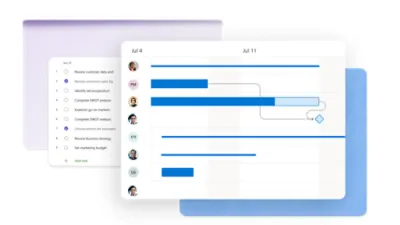
Quick summary
Why we picked Microsoft Project?
Baselines and critical path are on Planner and Project Plan 3 at $30. Planner Plan 1 at $10 has the timeline, and the desktop app is $679.99 one time.
Pick it if your organization already runs on Microsoft 365 and you need formal scheduling. Planner Plan 1 lists a timeline (Gantt) view and task dependencies, and Planner and Project Plan 3 adds baselines, critical path and advanced dependencies with lead and lag.
Skip it if you want a simple tool. Reviewers raise a steep learning curve more than any other complaint, 10 of the 30 we counted.
What it costs you: Planner Plan 1 is $10 and Planner and Project Plan 3 is $30 per user per month, paid yearly. The desktop apps are one-time purchases: Project Standard 2024 is $679.99 and Project Professional 2024 is $1,129.99. G2 shows 4 from 1,627 reviews for Project and Portfolio Management. Price source: the Microsoft Planner pricing page.
Features
| Feature | Status |
|---|---|
| Free tier | Planner in Microsoft 365 is included, with grid, board, schedule and chart views |
| Dependencies | Finish-to-start dependencies on Plan 1; advanced dependencies with lead and lag on Plan 3 |
| Critical path | Critical path on Planner and Project Plan 3, and in Project Standard 2024 |
| Baselines | Baselines on Plan 3, and in Project Standard 2024 |
| Resource or workload view | Resource leveling in Project Standard 2024; comprehensive resource management in Professional 2024 |
| Import and export | Not confirmed on the pages we read |
Microsoft Project feature availability summary: Free tier (Planner in Microsoft 365 is included, with grid, board, schedule and chart views); Dependencies (Finish-to-start dependencies on Plan 1; advanced dependencies with lead and lag on Plan 3); Critical path (Critical path on Planner and Project Plan 3, and in Project Standard 2024); Baselines (Baselines on Plan 3, and in Project Standard 2024); Resource or workload view (Resource leveling in Project Standard 2024; comprehensive resource management in Professional 2024); and Import and export (Not confirmed on the pages we read).
Security and compliance
| Standard | Status |
|---|---|
| Not confirmed | SOC 2, ISO 27001, GDPR, SSO and audit logs: not listed on the pages we read |
Microsoft Project security and compliance summary: Not confirmed: SOC 2, ISO 27001, GDPR, SSO and audit logs: not listed on the pages we read.
Integrations
| Integration | Status |
|---|---|
| Microsoft 365 and Teams | Microsoft app integrations listed |
| Not confirmed | Slack, Google Workspace, Zapier and API: not confirmed on the pages we read |
Microsoft Project integration summary: Microsoft 365 and Teams: Microsoft app integrations listed; and Not confirmed: Slack, Google Workspace, Zapier and API: not confirmed on the pages we read.
Pricing
| Plan | Price | Best for |
|---|---|---|
| Planner in Microsoft 365 | Included in Microsoft 365 | Basic planning with grid, board, schedule and chart views |
| Planner Plan 1 | $10 per user per month, paid yearly | Timeline (Gantt) view and dependencies |
| Planner and Project Plan 3 | $30 per user per month, paid yearly | Baselines, critical path and Project desktop |
| Project Standard 2024 | $679.99 one-time purchase | On-premises scheduling with Gantt, baselines and critical path |
| Project Professional 2024 | $1,129.99 one-time purchase | Resource management and timesheets |
Pros and cons
What's great
- Critical path and baselines on Planner and Project Plan 3, and in the desktop app
- Planner is included in Microsoft 365, with dependencies visible
- Desktop app is a one-time purchase: $679.99 for Standard 2024
Watch-outs
- Plan 3 is $30 per user per month
- A steep start is the top complaint: 10 of the 30 reviews we counted
- The G2 reviews we read run from May 2023 to May 2026
Reviews
G2 4/5 from 1,627 reviews.
What reviewers mention most often, counted in the 30 most recent written reviews:
- Ease of use16 of 30 liked
- Views, boards and features13 of 30 liked
- Hard to learn or set up10 of 30 raised as a complaint
- Price or cost8 of 30 raised as a complaint
- Reports or dashboards2 of 30 raised as a complaint
What AI assistants agree on about gantt chart platforms
On 8 November 2026 we searched Google and asked Perplexity, ChatGPT and Gemini for the best gantt chart software, adding “in USA” to the three chat prompts. We counted how many of the four named each tool.
- Named by all four: ClickUp, GanttPRO, TeamGantt, Smartsheet and Asana.
- Named by two or three: monday.com (three), Wrike and Microsoft Project or Planner (two each).
- Named by one: nTask (Google), Instagantt and ProjectManager (ChatGPT).
- First pick: ClickUp from Google and Perplexity, GanttPRO from ChatGPT, and Smartsheet listed first by Gemini.
The answers agree on a core group of five and disagree on who comes first. They are a useful starting list, but they say little about which plan you need. ChatGPT, for example, put ClickUp at $7 and GanttPRO at $8 to $9, while ClickUp’s pricing page says $9 and GanttPRO’s says $7 for a 20-member team. Check the plan on the vendor’s own page.
Vendors we considered but excluded
We looked at more tools than the eight above. These stay off the ranking because we did not read their pricing and reviews the way we did for the eight.
- ProjectManager: A project platform that appears in some Gantt lists. We have not read its pricing or reviews, so it stays off the ranking for now.
- Instagantt: A Gantt chart maker with an Asana integration. We have not read its pricing or reviews, so it stays off the ranking for now.
- Paymo: A time-tracking and project tool that appears in some Gantt lists. We have not read its pricing or reviews.
- Toggl Plan: A planning tool that appears in some Gantt lists. We have not read its pricing or reviews.
- nTask: Named by Google as a budget pick for small teams. We have not read its pricing or reviews, so it stays off the ranking for now.
- Hive: A team task tool in the same space as ClickUp and Asana. We have not read its pricing or reviews.
Honorable mentions: more gantt chart vendors worth a look
Solid tools that did not crack the main list but are worth tracking, especially for niche use cases.
- Jira: Its timeline view is on the free plan, which covers 10 users; our project management page covers it. We did not read its dependency or critical path features for this page.
Gantt chart platform FAQs
What is the best gantt chart software?
It depends on team size and budget. For most small teams we pick ClickUp: Gantt on the free plan, Core at $9. GanttPRO starts at $7.
Is there free gantt chart software?
ClickUp is the only one of the eight with a Gantt view on a free plan. GanttPRO and TeamGantt have 14-day trials.
What is the cheapest gantt chart software here?
GanttPRO Core, at $7 per user per month billed annually for a 20-member team. TeamGantt Base is a flat $59 a month for 5 projects.
Which tools have critical path and baselines?
GanttPRO lists both on every plan. Wrike and Smartsheet cover both in help. monday.com has critical path on Pro, Microsoft on Plan 3.
Can I move a plan in from Microsoft Project?
GanttPRO imports MS Project .mpp files, and TeamGantt exports to Microsoft Project format.
How much does gantt chart software cost for a team of 10?
ClickUp Core is $1,080 a year and Smartsheet Pro is $1,080. Wrike Team is $1,200. TeamGantt Base is $589 a year for 5 projects, however many people you have.