

Top-rated Asana alternatives shortlist
Start with our expert picks, then switch tabs to narrow by why you are leaving, team size, use case or budget. Prices are on annual billing unless a row says otherwise.
- ClickUp: Best as the closest all-in-one replacement for Asana.
 ClickUp
- monday.com: Best for teams that want a more visual tool with a higher G2 rating than Asana.
 monday.com
- Trello: Best for the lowest price and the simplest setup.
 Trello
- Notion: Best for teams that want docs and tasks in one place.
 Notion
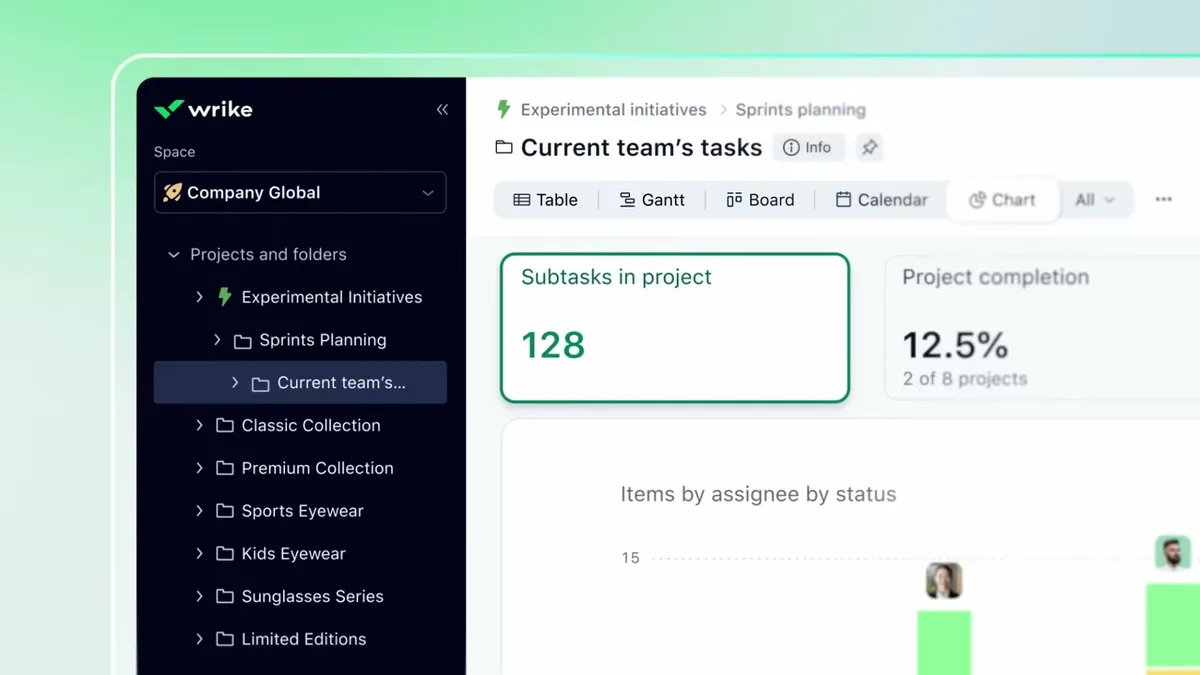
- Wrike: Best for larger teams that need structured workflows.
 Wrike
- Smartsheet: Best for teams that plan in grids.
 Smartsheet
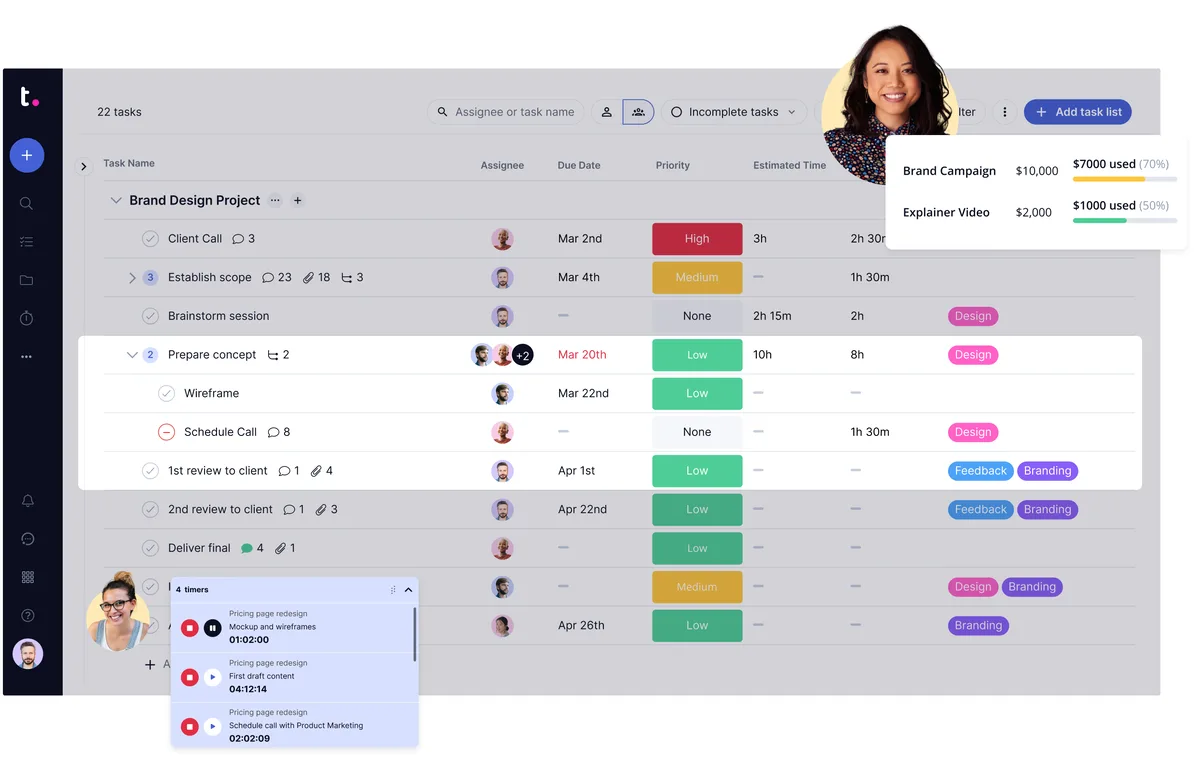
- Teamwork.com: Best for client and agency work.
 Teamwork.com
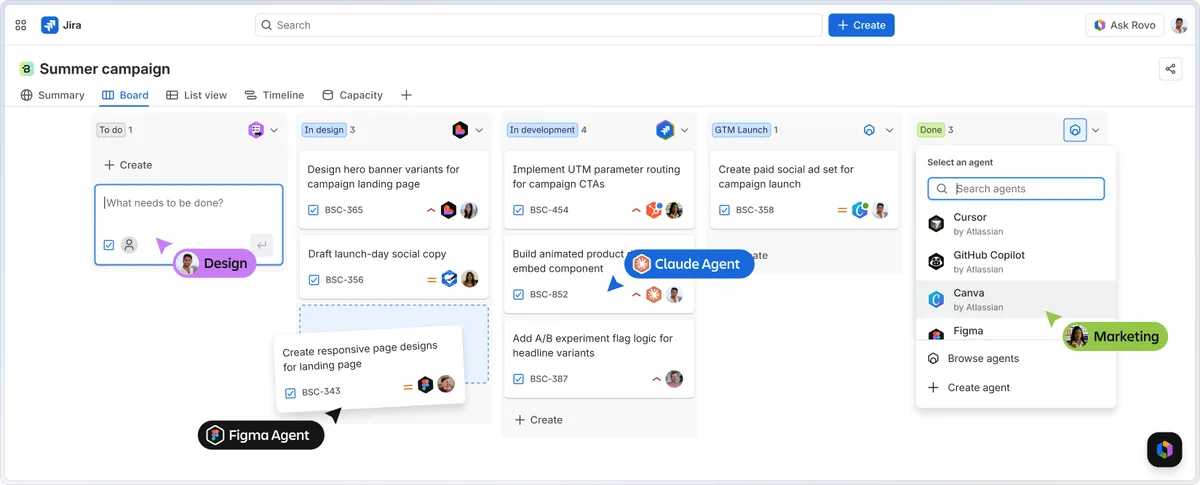
- Jira: Best for software teams leaving Asana.
 Jira
Best forOur picks
- Cheaper than AsanaLower bill
Trello Standard is $5, ClickUp Core $9 and Smartsheet Pro $9, against Asana Starter at $10.99.
- A free plan for more peopleBeyond 2 users
ClickUp has no member limit, Trello and Jira cover 10, and Teamwork.com covers 5. Asana Personal covers 2.
- Simpler to useLess setup
Trello is a board with built-in automation on every plan. monday.com has the higher G2 rating of the two options here, 4.7.
- More structure and reportingLarger teams
Wrike Business covers 5 to 200 users at $25, and Smartsheet adds workload tracking on Business at $19.
- Docs and tasks togetherOne workspace
Notion Plus is $10 per seat on yearly billing, and any member on any plan can run its Asana importer.
Best forOur picks
- 1 to 10 peopleSmall team
ClickUp has unlimited free members, and Trello and Jira cover up to 10 people.
- 11 to 25 peopleGrowing team
Cheapest paid plans for 25 people a year: Trello Standard $1,500, ClickUp Core $2,700, monday.com Standard $3,840.
- 26 to 200 peopleMid-size team
Wrike Business covers 5 to 200 users at $25. Smartsheet Business starts at 3 members. ClickUp Business is $17.
Best forOur picks
- Client and agency workBillable time
Teamwork.com has an importer for Asana tasks, subtasks, comments and files, and Basics tracks billable time at $9.99.
- Software teamsBacklogs and sprints
Atlassian has an Asana importer, and Jira has backlog, board and timeline views on its free plan.
- Moving with the least reworkImporter available
Each vendor documents a native Asana importer. Check what it leaves out before you move.
- Spreadsheet-style planningGrids
Gantt, table, board and calendar views with rich formulas, from Pro at $9.
Best forOur picks
- Free onlyNo card needed
ClickUp has unlimited members, Trello and Jira cover 10, and Teamwork.com covers 5.
- Under $10 per user a monthAnnual billing
Trello $5, ClickUp $9, monday.com $9 a seat, Smartsheet $9, all below Asana Starter at $10.99.
- $10 to $20 per user a monthAnnual billing
Notion Plus $10, Wrike Team $10, Teamwork.com Basics $9.99, monday.com Standard $12.
How we picked these Asana alternative vendors
Every tool gets the same nine checks, all from public pages. We show no total score.
- Price against Asana 20%. Cost at 5, 10 and 25 people compared with Asana Starter.
- Free plan limits 14%. How many people the free plan covers, against 2 on Asana Personal.
- Capabilities against Asana 14%. Timeline, dependencies, workload and automation.
- Reviews and sentiment 14%. G2 rating, review count and the complaints we counted.
- Switching effort 12%. Whether the vendor documents an Asana importer, and what it leaves out.
- Ease of use and setup 8%. Reviewer complaints about the learning curve and setup.
- Integrations 6%. Slack, Google Workspace, Microsoft 365 and API.
- Security and compliance 6%. Certifications, SSO and audit logs on the vendor pages.
- Use-case fit 6%. What each tool is built for.
Read the full SaaSReviewz.com methodology, the scoring criteria, weights, and the data we collect for every tool.
Top-rated Asana alternative platforms at a glance: price, free plan and G2 rating
You are leaving Asana, or thinking about it. The right replacement depends on why: price, a free plan that covers more than 2 people, a simpler tool, or more features. This page gives you a pick for each reason, with how each tool moves your work out of Asana.
| Tool | Best for | Starting price | Free trial | External rating |
|---|---|---|---|---|
|
ClickUp | Best closest all-in-one replacement for Asana | $9 per user per month, billed yearly (Core) | Free Forever plan with unlimited members | G2 4.6/5 (15,396 reviews) |
|
monday.com | Best for teams that want a more visual tool with a higher G2 rating | $9 per seat per month, billed yearly (Basic) | Free plan for up to 2 seats, the same limit as Asana | G2 4.7/5 (17,945 reviews) |
|
Trello | Best for the lowest price and the simplest setup | $5 per user per month, billed annually (Standard) | Free plan for up to 10 collaborators per Workspace | G2 4.4/5 (14,071 reviews) |
|
Notion | Best for teams that want docs and tasks in one place | $10 per seat per month, billed yearly (Plus) | Free plan for individuals | G2 4.6/5 (13,972 reviews) |
|
Wrike | Best for larger teams that need structured workflows | $10 per user per month, billed annually (Team, 2 to 15 users) | Free plan for basic task management; trials need no credit card | G2 4.2/5 (4,566 reviews) |
|
Smartsheet | Best for teams that plan in grids | $9 per member per month, billed yearly (Pro, 1 to 10 members) | Try for free (no free plan seen) | G2 4.4/5 (23,146 reviews) |
|
Teamwork.com | Best for client and agency work | $9.99 per user per month, billed yearly (Basics) | Free plan for up to 5 users; 14 day free trial on paid plans | G2 4.4/5 (1,218 reviews) |
|
Jira | Best for software teams leaving Asana | $950 a year for 1 to 10 users (Standard) | Free plan for up to 10 users | G2 4.3/5 (8,070 reviews) |
Why teams look for an Asana alternative platform
We read the complaint field of the 30 most recent written Asana reviews on G2 on 8 November 2026. Several reviewers named nothing at all, but the rest raised six complaints, and only one of them is about price.
- Price and plan limits (5 reviews). Expensive for simple use, and timeline view kept to paid plans. Starter is $10.99 per user per month on annual billing, and Advanced is $24.99.
- A hard start and a changing interface (5). Too many options to know where to begin, left-hand menus that are hard to read, and updates that added steps to routine jobs.
- Subtasks and visibility (5). Subtasks do not inherit the parent’s project, tags or custom fields, and cannot repeat. Work stays hidden unless you are added to the team or the task.
- Not replacing other tools (4). Time tracking, budget management, invoicing and a client portal, and sprint work kept in another tool.
- Notification noise (3). Email alerts for small updates.
- Support (2). One reviewer on the Enterprise plan could not reach a rep.
Some reviews raised more than one complaint, so the counts overlap. Capterra’s most recent reviews repeat notifications, a steep start and a layout that is hard to follow. G2 shows Asana at 4.4 from 14,110 reviews, so this is not a weak product.
Missing a feature in Asana? Recommended alternative platforms that include it
Asana gates features by plan, so a missing feature often means one that sits on a higher tier. This table shows where each gap closes, from the plan details we read on the vendor pages.
| If you miss | Where Asana has it | Alternative platforms that include it |
|---|---|---|
| Timeline or Gantt view without a paid team plan | Starter, $10.99 per user per month | Jira’s free plan lists a timeline, and Teamwork.com’s Free plan lists Gantt. monday.com has it from Standard at $12, and Trello from Premium at $10. |
| Resource management or workload planning | Advanced, $24.99 | ClickUp lists resource management on Business at $17. Teamwork.com lists live capacity on Accelerate at $24.99. |
| Built-in time tracking | Advanced, $24.99 | ClickUp’s Free Forever plan lists it, Teamwork.com lists billable time tracking from Basics at $9.99, and monday.com lists it on Pro at $19. |
| Docs and tasks in one workspace | Not what Asana is built around | Notion Plus at $10 lists databases with subtasks and dependencies. |
| Spreadsheet-style planning | Not one of its free-plan views | Smartsheet Pro at $9 per member. |
| Unlimited automations | Starter | None of the tools we priced match it. ClickUp Core allows 1K runs a month, monday.com Standard 250 actions, Smartsheet Pro 250, Jira’s free plan 150 steps and Teamwork.com’s Free plan 100. Teamwork.com Accelerate lists 20,000. |
Automations are the one gap where Asana is ahead of the cheaper tiers. We did not compare approvals or proofing across these tools, so we make no claim on them.
Which Asana alternative platform fixes your complaint?
| Your complaint | Recommended alternative |
|---|---|
| Price and plan limits | Trello Standard at $5 for the lowest paid plan. ClickUp’s free plan has no member limit, and Teamwork.com’s Free plan covers 5 users. |
| A hard start and a changing interface | Trello for the lightest setup. Skip Jira here: 17 of the 30 recent Jira reviews raise a steep start. |
| Subtasks and visibility | No verified fix. We did not test subtask behaviour in the alternatives, so try yours in a trial before you move. |
| Not replacing other tools | ClickUp’s Free Forever plan lists time tracking. Teamwork.com lists billable time tracking on Basics at $9.99 and invoices built from logged time on Accelerate at $24.99. |
| A feature locked to a higher plan | The table above names an alternative for timeline views, resource management, time tracking, docs with tasks and spreadsheet-style planning. |
| Notification noise | Fix it inside Asana first: one reviewer turned the alerts off in profile settings. On its own it is a weak reason to move. |
| Support | ClickUp lists 24/7 support on its Free Forever plan and live chat on Core. |
Recommended Asana alternatives one by one: what you pay and what you give up
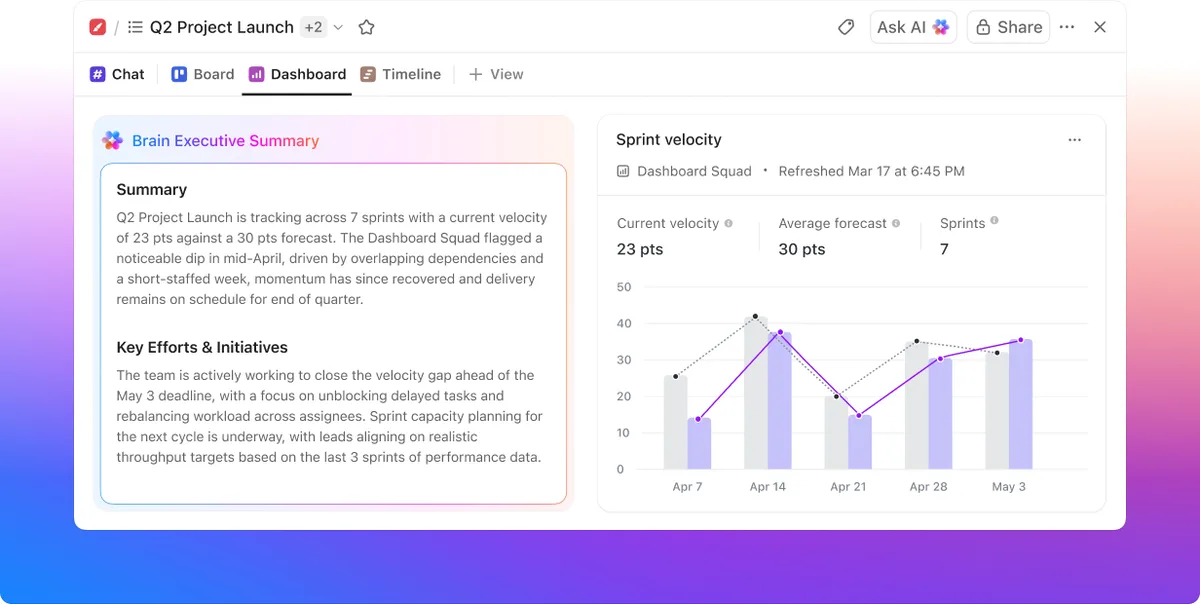
Screenshots of ClickUp 2 images
Quick summary
Why we picked ClickUp?
It does the same jobs for less money. Core is $9 per user per month against Asana Starter at $10.99, and the free plan has no member limit where Asana's covers 2 people.
Pick it if you want most of what Asana does, with a free plan that has no member limit. ClickUp has a native importer for Asana projects, and Core is $9 per user per month.
Skip it if your team wants to move quickly with little setup. 7 of the 30 reviews we counted raised a steep start, and Asana’s was 3 of 30. The importer also leaves out freestanding tasks, nested subtasks, recurring tasks and @mentions.
What it costs you: Core is $540 a year for 5 people, $1,080 for 10 and $2,700 for 25, against Asana Starter at $659.40, $1,318.80 and $3,297. The G2 page shows 4.6 from 15,396 reviews. Price source: the ClickUp pricing page.
Features
| Feature | Status |
|---|---|
| Free tier | Free plan with unlimited members and 60 MB of storage |
| Resource or workload view | Resource management on Business at $17 |
| Automation | 1K runs a month on Core; Asana lists unlimited automations from Starter |
| Import from asana | Native Asana importer. Freestanding tasks, nested subtasks, tasks shared between projects, recurring tasks, private tasks and @mentions do not import |
| Timeline view | Gantt view, free plan and Core |
ClickUp feature availability summary: Free tier (Free plan with unlimited members and 60 MB of storage); Resource or workload view (Resource management on Business at $17); Automation (1K runs a month on Core; Asana lists unlimited automations from Starter); Import from asana (Native Asana importer. Freestanding tasks, nested subtasks, tasks shared between projects, recurring tasks, private tasks and @mentions do not import); and Timeline view (Gantt view, free plan and Core).
Security and compliance
| Standard | Status |
|---|---|
| SSO / SAML | Google SSO on Business; SAML on Enterprise |
| Certifications | SOC 2, ISO/IEC 27001 and GDPR listed on its security page |
ClickUp security and compliance summary: SSO / SAML: Google SSO on Business; SAML on Enterprise; and Certifications: SOC 2, ISO/IEC 27001 and GDPR listed on its security page.
Integrations
| Integration | Status |
|---|---|
| Public API | Public API |
| Chat and files | Slack, Google Drive and Outlook named |
ClickUp integration summary: Public API: Public API; and Chat and files: Slack, Google Drive and Outlook named.
Pricing
| Plan | Price | Best for |
|---|---|---|
| Free Forever | $0 | Beyond Asana Personal: no member limit |
| Core | $9 per user per month, billed yearly | Gantt, forms and guests for less than Asana Starter |
| Business | $17 per user per month, billed yearly | Resource management and dashboards |
| Enterprise | Custom | SAML sign-in and audit logs |
Pros and cons
What's great
- Free plan with no member limit, against 2 users on Asana Personal
- Native importer for Asana projects
- G2 rating of 4.6 from 15,396 reviews
Watch-outs
- Freestanding tasks, nested subtasks, recurring tasks and @mentions do not import from Asana
- Reviewers raise a steep start: 7 of the 30 we counted
- Automations are capped at 1K runs a month on Core
Reviews
G2 4.6/5 from 15,396 reviews.
What reviewers mention most often, counted in the 30 most recent written reviews:
- Views, boards and features17 of 30 liked
- Ease of use14 of 30 liked
- Collaboration and visibility12 of 30 liked
- Customization and flexibility7 of 30 liked
- Hard to learn or set up7 of 30 raised as a complaint
- Slow or buggy6 of 30 raised as a complaint
- Mobile app5 of 30 raised as a complaint
- Reports or dashboards3 of 30 raised as a complaint
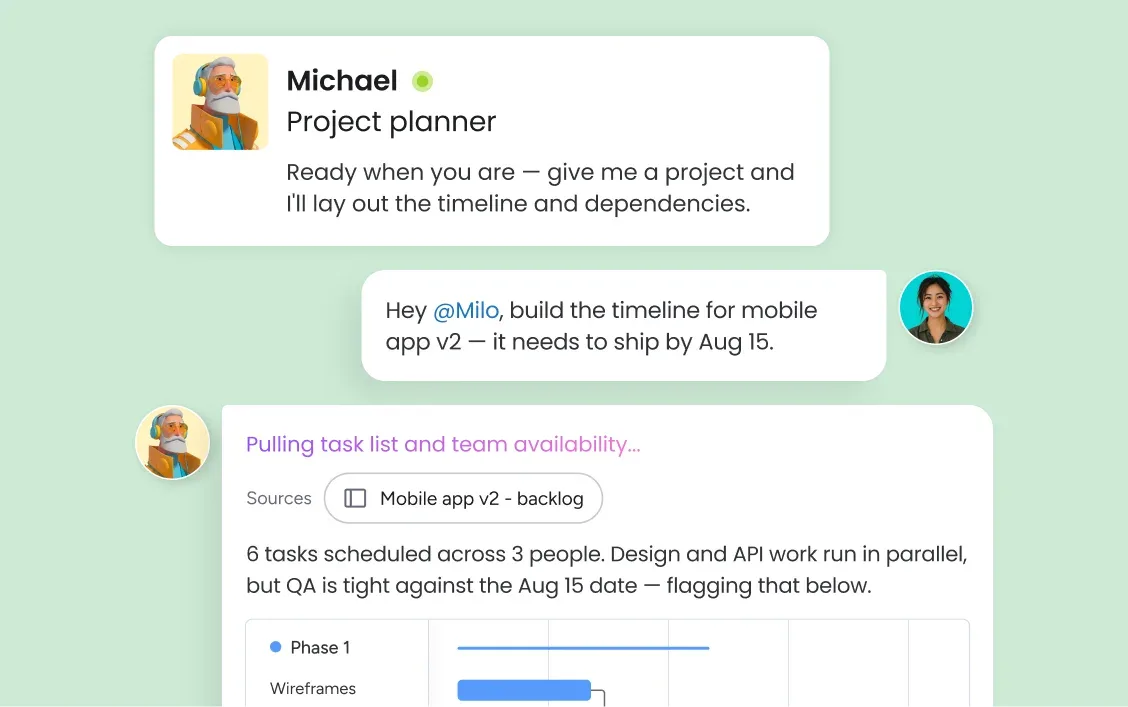
Screenshots of monday.com 1 images
Quick summary
Why we picked monday.com?
monday.com has the top G2 rating of these eight alternatives, 4.7 from 17,945 reviews, against 4.4 for Asana. Its help center describes a native Asana importer.
Pick it if you want a more visual tool and a higher-rated one. G2 shows 4.7 from 17,945 reviews, and monday.com’s help center describes an importer that brings in all boards from your Asana account.
Skip it if you want a bigger free plan. It covers 2 seats, the same as Asana, and price was the most common complaint in the 30 reviews we counted, 6 of 30.
What it costs you: Standard is $12 a seat per month billed yearly: $720 a year for 5 people, $1,440 for 10 and $3,840 for 25. Price source: the monday.com pricing page.
Features
| Feature | Status |
|---|---|
| Free tier | Free plan for up to 2 seats, the same as Asana Personal |
| Resource or workload view | Not confirmed on the pages we read |
| Automation | 250 actions a month on Standard |
| Import from asana | Native importer: profile menu, Import data, Asana. It imports all boards from the Asana account |
| Timeline view | Timeline and Gantt on Standard at $12 |
monday.com feature availability summary: Free tier (Free plan for up to 2 seats, the same as Asana Personal); Resource or workload view (Not confirmed on the pages we read); Automation (250 actions a month on Standard); Import from asana (Native importer: profile menu, Import data, Asana. It imports all boards from the Asana account); and Timeline view (Timeline and Gantt on Standard at $12).
Security and compliance
| Standard | Status |
|---|---|
| SSO / SAML | Not listed on its trust centre; security and governance on Enterprise |
| Certifications | SOC 2 Type II, ISO/IEC 27001:2022 and GDPR listed on its trust centre |
monday.com security and compliance summary: SSO / SAML: Not listed on its trust centre; security and governance on Enterprise; and Certifications: SOC 2 Type II, ISO/IEC 27001:2022 and GDPR listed on its trust centre.
Integrations
| Integration | Status |
|---|---|
| Public API | API listed, with more than 850 integrations |
| Chat and files | Microsoft apps named; Slack and Google Workspace not confirmed |
monday.com integration summary: Public API: API listed, with more than 850 integrations; and Chat and files: Microsoft apps named; Slack and Google Workspace not confirmed.
Pricing
| Plan | Price | Best for |
|---|---|---|
| Free | $0 | Up to 2 seats, the same as Asana Personal |
| Basic | $9 per seat per month, billed yearly | Small teams, without a timeline view |
| Standard | $12 per seat per month, billed yearly | Timeline and Gantt, closest to Asana Starter |
| Pro | $19 per seat per month, billed yearly | Critical path and milestones |
Pros and cons
What's great
- Top G2 rating of the eight: 4.7 from 17,945 reviews
- Native importer that moves all boards
- Standard at $12 includes timeline and Gantt
Watch-outs
- The free plan covers 2 seats, the same as Asana
- Price is the most common complaint: 6 of the 30 reviews we counted
- Basic has no timeline view
Reviews
G2 4.7/5 from 17,945 reviews.
What reviewers mention most often, counted in the 30 most recent written reviews:
- Ease of use18 of 30 liked
- Views, boards and features13 of 30 liked
- Collaboration and visibility10 of 30 liked
- Price or cost6 of 30 raised as a complaint
- Hard to learn or set up4 of 30 raised as a complaint
- Slow or buggy2 of 30 raised as a complaint
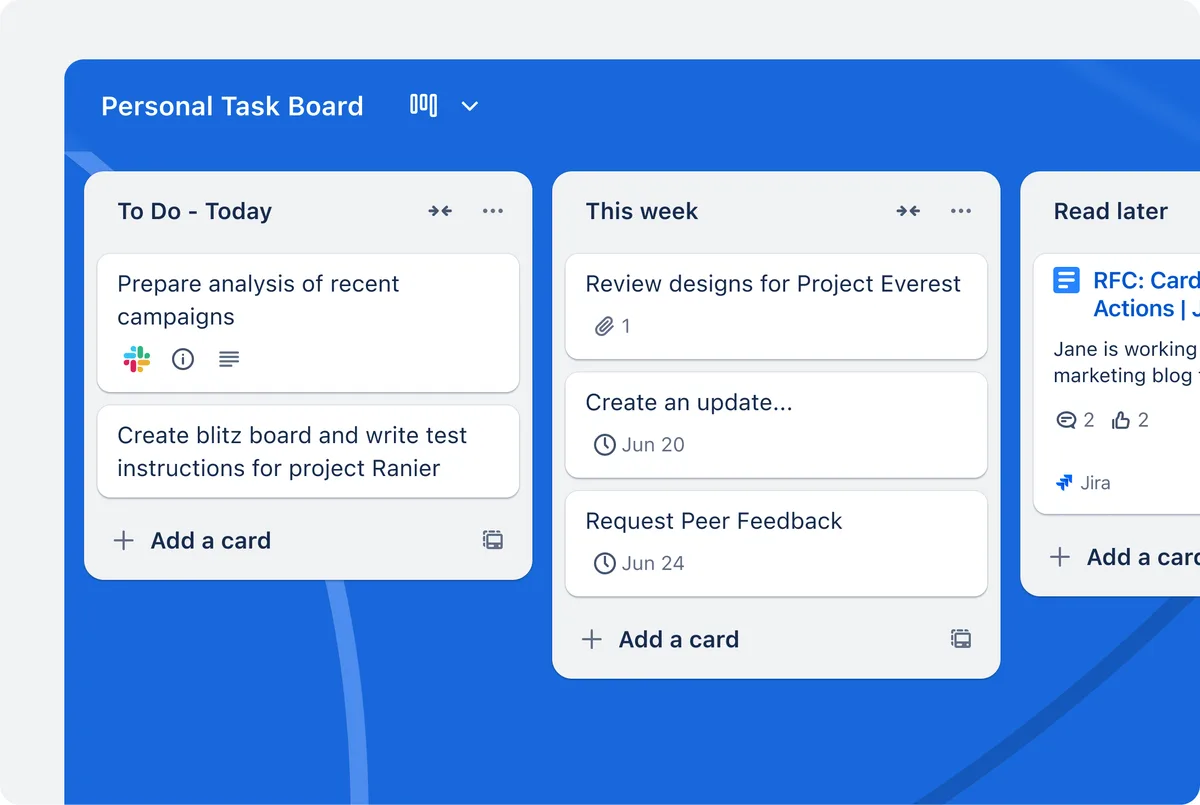
Screenshots of Trello 2 images
Quick summary
Why we picked Trello?
Trello has the lowest paid price of the eight at $5 per user per month, and its free plan covers up to 10 collaborators where Asana's covers 2.
Pick it if you want the simplest board and the lowest bill. Standard is $5 per user per month on annual billing, and the free plan covers up to 10 collaborators per Workspace.
Skip it if you want a clean one-time import. We did not find a native Asana importer. Trello’s Power-Up directory lists a two-way sync with Asana, which keeps both tools running side by side.
What it costs you: Standard is $300 a year for 5 people, $600 for 10 and $1,500 for 25. Premium at $10 is $600, $1,200 and $3,000. Price source: the Trello pricing page.
Features
| Feature | Status |
|---|---|
| Free tier | Free plan for up to 10 collaborators per Workspace |
| Resource or workload view | Not confirmed on the pages we read |
| Automation | Built-in automation on every plan |
| Import from asana | No native Asana importer found; Trello's Power-Up directory lists a two-way Asana sync (Unito) |
| Timeline view | Timeline on Premium at $10 |
Trello feature availability summary: Free tier (Free plan for up to 10 collaborators per Workspace); Resource or workload view (Not confirmed on the pages we read); Automation (Built-in automation on every plan); Import from asana (No native Asana importer found; Trello's Power-Up directory lists a two-way Asana sync (Unito)); and Timeline view (Timeline on Premium at $10).
Security and compliance
| Standard | Status |
|---|---|
| SSO / SAML | SAML SSO on Enterprise |
| Not confirmed | Certifications and audit logs: not listed on the pages we read |
Trello security and compliance summary: SSO / SAML: SAML SSO on Enterprise; and Not confirmed: Certifications and audit logs: not listed on the pages we read.
Integrations
| Integration | Status |
|---|---|
| Not confirmed | Slack and Google Workspace: not confirmed on the pages we read |
| Chat and files | Power-Ups, including an Asana two-way sync |
Trello integration summary: Not confirmed: Slack and Google Workspace: not confirmed on the pages we read; and Chat and files: Power-Ups, including an Asana two-way sync.
Pricing
| Plan | Price | Best for |
|---|---|---|
| Free | $0 | Up to 10 collaborators per Workspace |
| Standard | $5 per user per month, billed annually | Unlimited boards, the lowest paid price |
| Premium | $10 per user per month, billed annually | Timeline, calendar and dashboard views |
| Enterprise | $17.50 per user per month, billed annually | SAML sign-in |
Pros and cons
What's great
- Lowest paid price of the eight: Standard at $5
- Free plan covers up to 10 collaborators
- Built-in automation on every plan
Watch-outs
- No native Asana importer; the directory lists a two-way sync instead
- Timeline view needs Premium at $10
- Price is a common complaint: 6 of the 30 reviews we counted
Reviews
G2 4.4/5 from 14,071 reviews.
What reviewers mention most often, counted in the 30 most recent written reviews:
- Ease of use23 of 30 liked
- Collaboration and visibility17 of 30 liked
- Views, boards and features16 of 30 liked
- Integrations8 of 30 liked
- Price or cost6 of 30 raised as a complaint
- Reports or dashboards5 of 30 raised as a complaint
- Hard to learn or set up4 of 30 raised as a complaint
- Slow or buggy3 of 30 raised as a complaint
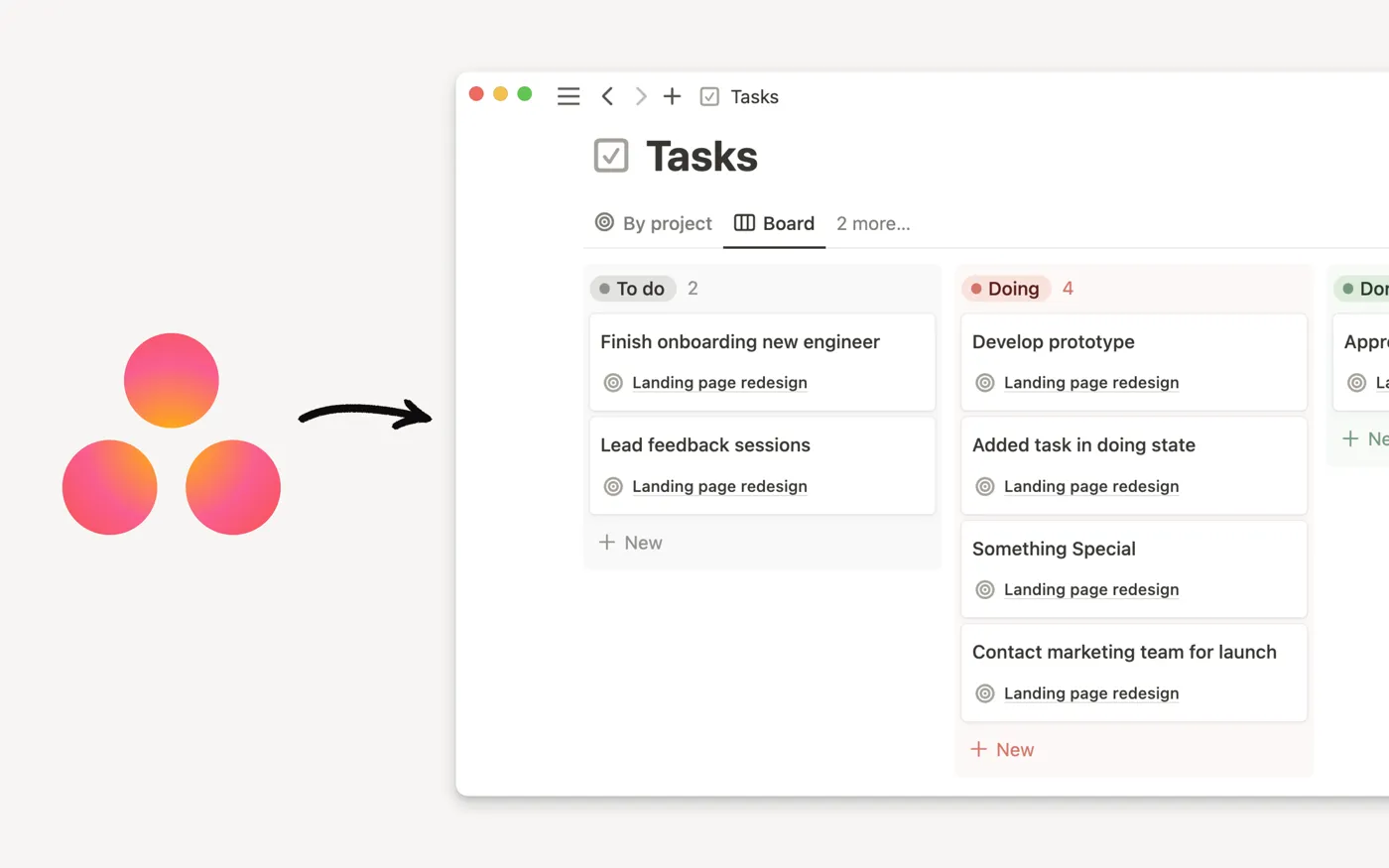
Quick summary
Why we picked Notion?
Notion puts docs, wikis and tasks in one tool. Plus is $10 per seat per month on yearly billing, and its help center says any member on any plan can use the Asana importer.
Pick it if you want your docs, wiki and tasks in one place. Notion’s help center says any member on any plan can run its Asana importer, and Plus is $10 per seat per month on yearly billing.
Skip it if you want a tool that works with little setup. Hard to learn or set up was the top complaint, 9 of the 30 reviews we counted, and slow or buggy came up in 8.
What it costs you: Plus is $10 per seat per month on yearly billing, or $12 billed monthly. Business is $20, or $24 monthly. The G2 page shows 4.6 from 13,972 reviews. Price source: the Notion pricing page.
Features
| Feature | Status |
|---|---|
| Free tier | Free plan for individuals at $0 |
| Dependencies | Databases with subtasks and dependencies listed on Plus |
| Resource or workload view | Not confirmed on the pages we read |
| Automation | Not confirmed on the pages we read |
| Import from asana | Native Asana importer on any plan, from Settings, Import, Asana |
| Timeline view | Not confirmed on the pages we read |
Notion feature availability summary: Free tier (Free plan for individuals at $0); Dependencies (Databases with subtasks and dependencies listed on Plus); Resource or workload view (Not confirmed on the pages we read); Automation (Not confirmed on the pages we read); Import from asana (Native Asana importer on any plan, from Settings, Import, Asana); and Timeline view (Not confirmed on the pages we read).
Security and compliance
| Standard | Status |
|---|---|
| SSO / SAML | SAML single sign-on listed on its pricing page; the plan is not clear in the text we read |
| Not confirmed | Certifications: not listed on the pages we read |
Notion security and compliance summary: SSO / SAML: SAML single sign-on listed on its pricing page; the plan is not clear in the text we read; and Not confirmed: Certifications: not listed on the pages we read.
Integrations
| Integration | Status |
|---|---|
| Not confirmed | Slack, Google Workspace and API: not confirmed on the pages we read |
| Chat and files | Basic connections on Plus, Notion Calendar |
Notion integration summary: Not confirmed: Slack, Google Workspace and API: not confirmed on the pages we read; and Chat and files: Basic connections on Plus, Notion Calendar.
Pricing
| Plan | Price | Best for |
|---|---|---|
| Free | $0 | Individuals organizing their own work |
| Plus | $10 per seat per month, billed yearly ($12 monthly) | Small teams, with dependencies in databases |
| Business | $20 per seat per month, billed yearly ($24 monthly) | Growing businesses |
| Enterprise | Custom pricing | Large organizations |
Pros and cons
What's great
- Docs, wikis and tasks in one tool
- Any member on any plan can run the Asana importer
- G2 rating of 4.6 from 13,972 reviews
Watch-outs
- Hard to learn or set up is the top complaint: 9 of the 30 reviews we counted
- Slow or buggy came up in 8 of the 30
- We did not confirm its timeline view or automation limits
Reviews
G2 4.6/5 from 13,972 reviews.
What reviewers mention most often, counted in the 30 most recent written reviews:
- Ease of use17 of 30 liked
- Collaboration and visibility13 of 30 liked
- Views, boards and features11 of 30 liked
- Customization and flexibility8 of 30 liked
- Hard to learn or set up9 of 30 raised as a complaint
- Slow or buggy8 of 30 raised as a complaint
- Mobile app4 of 30 raised as a complaint
- Price or cost2 of 30 raised as a complaint
Screenshots of Wrike 2 images
Quick summary
Why we picked Wrike?
Wrike is the one to look at if Asana feels too light. Business covers 5 to 200 users at $25, and Pinnacle adds resource planning and budgeting on a quote.
Pick it if Asana feels too light for your team. Wrike’s Team plan is $10 for 2 to 15 users, and Business at $25 covers 5 to 200 users.
Skip it if you want a one-click import or the highest-rated tool. Wrike’s blog points to XLS files for moving Asana tasks, and Wrike has the lowest G2 rating of the eight, 4.2 from 4,566 reviews.
What it costs you: Team is $600 a year for 5 people and $1,200 for 10. Business is $1,500, $3,000 and $7,500 at 5, 10 and 25 people. Price source: the Wrike pricing page.
Features
| Feature | Status |
|---|---|
| Free tier | Free plan for basic task management |
| Resource or workload view | Resource and capacity planning on Pinnacle (quote) |
| Automation | Not confirmed on the pages we read |
| Import from asana | No native importer found; Wrike's blog says to move Asana tasks with XLS files |
| Timeline view | Interactive Gantt on Team at $10 |
Wrike feature availability summary: Free tier (Free plan for basic task management); Resource or workload view (Resource and capacity planning on Pinnacle (quote)); Automation (Not confirmed on the pages we read); Import from asana (No native importer found; Wrike's blog says to move Asana tasks with XLS files); and Timeline view (Interactive Gantt on Team at $10).
Security and compliance
| Standard | Status |
|---|---|
| Uptime | Its security page states uptime over 99.9% |
| Not confirmed | Certifications, SSO and audit logs: not listed in the text we read |
Wrike security and compliance summary: Uptime: Its security page states uptime over 99.9%; and Not confirmed: Certifications, SSO and audit logs: not listed in the text we read.
Integrations
| Integration | Status |
|---|---|
| Not confirmed | Its integrations page did not load as text, so nothing is confirmed |
Wrike integration summary: Not confirmed: Its integrations page did not load as text, so nothing is confirmed.
Pricing
| Plan | Price | Best for |
|---|---|---|
| Free | $0 | Basic task management |
| Team | $10 per user per month, billed annually | Interactive Gantt, 2 to 15 users |
| Business | $25 per user per month, billed annually | Larger teams, 5 to 200 users |
| Pinnacle | Contact sales | Resource and capacity planning |
Pros and cons
What's great
- Team plan at $10 lists interactive Gantt charts
- Resource and capacity planning on Pinnacle
- Free trials need no credit card
Watch-outs
- Lowest G2 rating of the eight: 4.2 from 4,566 reviews
- No native Asana importer found; the route is an XLS file
- Reviewers raise a steep start: 10 of the 30 we counted
Reviews
G2 4.2/5 from 4,566 reviews.
What reviewers mention most often, counted in the 30 most recent written reviews:
- Ease of use13 of 30 liked
- Collaboration and visibility13 of 30 liked
- Views, boards and features10 of 30 liked
- Customization and flexibility6 of 30 liked
- Hard to learn or set up10 of 30 raised as a complaint
- Reports or dashboards4 of 30 raised as a complaint
Screenshots of Smartsheet 2 images
Quick summary
Why we picked Smartsheet?
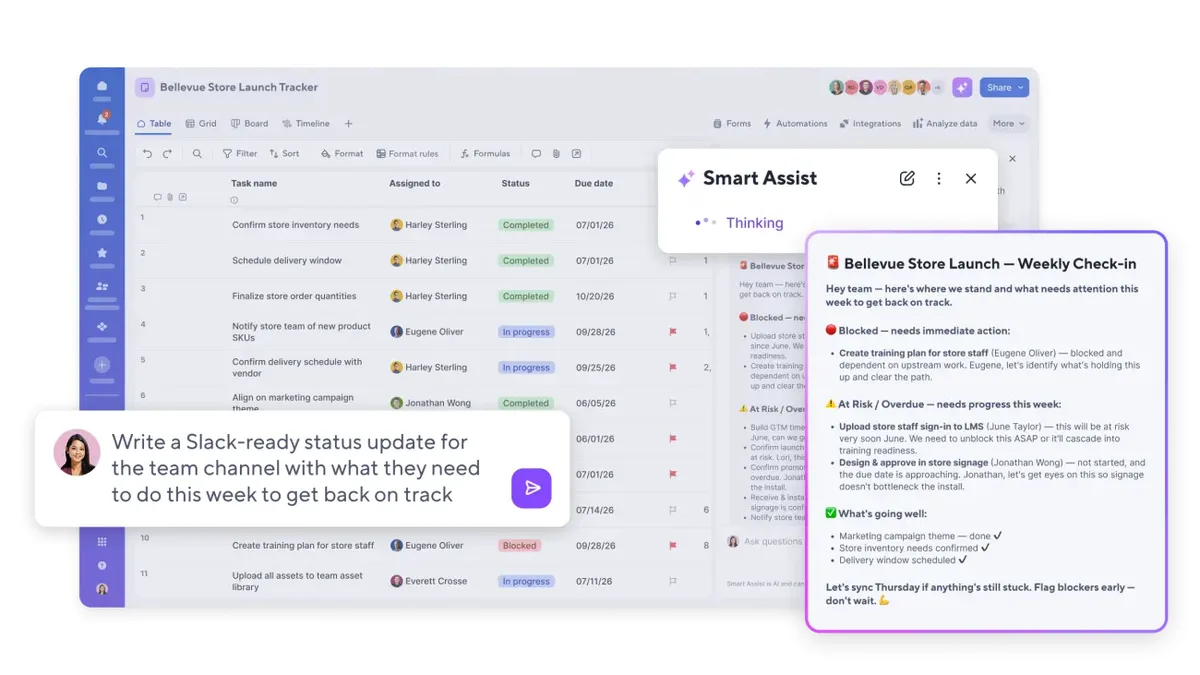
If your Asana work lives in lists and dates, Smartsheet shows it as a grid. Pro is $9 per member per month for 1 to 10 members, and G2 shows 23,146 reviews, the most of any tool here.
Pick it if your team thinks in rows and dates. Pro is $9 per member per month for 1 to 10 members with unlimited free contributors, and G2 shows 23,146 reviews.
Skip it if you want a free plan or a ready-made Asana import. We saw a trial button but no free plan, and Smartsheet’s own comparison page says there is no built-in integration with Asana.
What it costs you: Pro is $540 a year for 5 members and $1,080 for 10. Business is $19 for 3 or more members: $1,140, $2,280 and $5,700 at 5, 10 and 25 people. Price source: the Smartsheet pricing page.
Features
| Feature | Status |
|---|---|
| Free tier | No free plan seen |
| Resource or workload view | Workload tracking on Business |
| Automation | 250 automations a month on Pro |
| Import from asana | No built-in Asana integration, says Smartsheet's own comparison page, which names Zapier |
| Timeline view | Gantt on Pro at $9; timeline on Business at $19 |
Smartsheet feature availability summary: Free tier (No free plan seen); Resource or workload view (Workload tracking on Business); Automation (250 automations a month on Pro); Import from asana (No built-in Asana integration, says Smartsheet's own comparison page, which names Zapier); and Timeline view (Gantt on Pro at $9; timeline on Business at $19).
Security and compliance
| Standard | Status |
|---|---|
| SSO / SAML | SAML-based SSO on Enterprise |
| Not confirmed | SOC 2, ISO 27001 and audit logs: not listed in the text we read |
| Certifications | GDPR and CCPA named on its trust page |
Smartsheet security and compliance summary: SSO / SAML: SAML-based SSO on Enterprise; Not confirmed: SOC 2, ISO 27001 and audit logs: not listed in the text we read; and Certifications: GDPR and CCPA named on its trust page.
Integrations
| Integration | Status |
|---|---|
| Not confirmed | Google Workspace, Zapier and API: not confirmed in the text we read |
| Chat and files | Slack and Microsoft apps named |
Smartsheet integration summary: Not confirmed: Google Workspace, Zapier and API: not confirmed in the text we read; and Chat and files: Slack and Microsoft apps named.
Pricing
| Plan | Price | Best for |
|---|---|---|
| Pro | $9 per member per month, billed yearly | Gantt view, up to 10 members |
| Business | $19 per member per month, billed yearly | Timeline view and workload tracking, 3 or more members |
| Enterprise | Custom | Larger organizations, 10 or more members |
Pros and cons
What's great
- The most G2 reviews of the eight: 23,146
- Gantt, table, board and calendar views from Pro at $9
- Unlimited free contributors on both paid plans
Watch-outs
- No free plan seen, only a trial
- No built-in Asana integration, per Smartsheet's own comparison page
- Pro covers only 1 to 10 members
Reviews
G2 4.4/5 from 23,146 reviews.
What reviewers mention most often, counted in the 30 most recent written reviews:
- Ease of use14 of 30 liked
- Collaboration and visibility7 of 30 liked
- Hard to learn or set up5 of 30 raised as a complaint
- Slow or buggy3 of 30 raised as a complaint
- Reports or dashboards2 of 30 raised as a complaint
- Price or cost2 of 30 raised as a complaint
Screenshots of Teamwork.com 2 images
Quick summary
Why we picked Teamwork.com?
Teamwork.com is built around client work, and its support page lists an Asana importer for tasks, subtasks, comments and files. The Free plan covers up to 5 users and 5 projects.
Pick it if you do client work. Teamwork.com has an Asana importer for tasks, subtasks, comments and files, a Free plan for up to 5 users and 5 projects, and Basics at $9.99.
Skip it if your Asana setup relies on custom fields or dependencies. Its support page says custom fields are not mapped, dependencies are not carried over except for subtasks, and recurring tasks are not copied.
What it costs you: Basics is $599.40 a year for 5 people, $1,198.80 for 10 and $2,997 for 25. Accelerate is $24.99. Price source: the Teamwork pricing page.
Features
| Feature | Status |
|---|---|
| Free tier | Free plan: up to 5 users and 5 projects |
| Resource or workload view | Live team capacity on Accelerate at $24.99 |
| Automation | 20,000 automations on Accelerate |
| Import from asana | Native Asana importer from Settings, Import. Custom fields, dependencies (except subtasks) and recurring tasks do not carry over |
| Timeline view | Gantt, table, list and board views on Basics |
Teamwork.com feature availability summary: Free tier (Free plan: up to 5 users and 5 projects); Resource or workload view (Live team capacity on Accelerate at $24.99); Automation (20,000 automations on Accelerate); Import from asana (Native Asana importer from Settings, Import. Custom fields, dependencies (except subtasks) and recurring tasks do not carry over); and Timeline view (Gantt, table, list and board views on Basics).
Security and compliance
| Standard | Status |
|---|---|
| SSO / SAML | SSO listed for Enterprise |
| Certifications | SOC 2 stated on its pricing page |
Teamwork.com security and compliance summary: SSO / SAML: SSO listed for Enterprise; and Certifications: SOC 2 stated on its pricing page.
Integrations
| Integration | Status |
|---|---|
| Public API | API access, from 150 requests a minute |
| Chat and files | Slack, Google Drive, MS Teams and Microsoft Project listed on its pricing page |
Teamwork.com integration summary: Public API: API access, from 150 requests a minute; and Chat and files: Slack, Google Drive, MS Teams and Microsoft Project listed on its pricing page.
Pricing
| Plan | Price | Best for |
|---|---|---|
| Free | $0 | Up to 5 users and 5 projects |
| Basics | $9.99 per user per month, billed yearly | Gantt view and billable time tracking |
| Accelerate | $24.99 per user per month, billed yearly | Live capacity and time budgets |
| Optimize | Let's talk | Budgets and profitability for services businesses |
Pros and cons
What's great
- Free plan covers up to 5 users and 5 projects
- Importer brings tasks, subtasks, comments and files from Asana
- Built for client work: billable time and budgets
Watch-outs
- Custom fields, dependencies (except subtasks) and recurring tasks do not carry over from Asana
- Optimize and Enterprise are quote-only
- Smallest G2 review base of the eight: 1,218 reviews
Reviews
G2 4.4/5 from 1,218 reviews.
What reviewers mention most often, counted in the 30 most recent written reviews:
- Collaboration and visibility19 of 30 liked
- Views, boards and features14 of 30 liked
- Ease of use13 of 30 liked
- Integrations5 of 30 liked
- Hard to learn or set up8 of 30 raised as a complaint
- Reports or dashboards8 of 30 raised as a complaint
- Slow or buggy5 of 30 raised as a complaint
- Mobile app3 of 30 raised as a complaint
Screenshots of Jira 1 images
Quick summary
Why we picked Jira?
Jira suits teams that build software. Its free plan covers 10 users, and Atlassian's own page describes an importer that brings an Asana space into a Jira space.
Pick it if you run a software team. Atlassian’s own page describes an Asana importer that turns an Asana space into a Jira space, and the free plan covers up to 10 users.
Skip it if your team is not building software. Reviewers raised a steep start more often for Jira than for any tool here, 17 of the 30 we counted.
What it costs you: Standard is $950 a year for 1 to 10 users and $2,450 for 16 to 25. Price source: the Jira pricing page.
Features
| Feature | Status |
|---|---|
| Free tier | Free plan for up to 10 users |
| Resource or workload view | Not confirmed on the pages we read |
| Automation | 150 automation steps a month on Free |
| Import from asana | Native Asana importer for Jira Cloud admins; custom fields come only from paid Asana accounts |
| Timeline view | Timeline view on the free plan |
Jira feature availability summary: Free tier (Free plan for up to 10 users); Resource or workload view (Not confirmed on the pages we read); Automation (150 automation steps a month on Free); Import from asana (Native Asana importer for Jira Cloud admins; custom fields come only from paid Asana accounts); and Timeline view (Timeline view on the free plan).
Security and compliance
| Standard | Status |
|---|---|
| Uptime | Premium lists a 99.9% uptime SLA |
| Not confirmed | Certifications and SSO: not confirmed on the pages we read |
Jira security and compliance summary: Uptime: Premium lists a 99.9% uptime SLA; and Not confirmed: Certifications and SSO: not confirmed on the pages we read.
Integrations
| Integration | Status |
|---|---|
| Not confirmed | Slack and Google Workspace: not confirmed on the pages we read |
| Chat and files | Developer integrations named |
Jira integration summary: Not confirmed: Slack and Google Workspace: not confirmed on the pages we read; and Chat and files: Developer integrations named.
Pricing
| Plan | Price | Best for |
|---|---|---|
| Free | $0 | Up to 10 users, with backlog, board and timeline |
| Standard | $950 per year for 1 to 10 users; $2,450 per year for 16 to 25 users | Roles and permissions, priced by user tier |
| Premium | $1,950 per year for 1 to 10 users; $4,900 per year for 16 to 25 users | 99.9% uptime SLA |
| Enterprise | Shown from 801 users | Large organizations |
Pros and cons
What's great
- Free plan covers up to 10 users, against 2 on Asana Personal
- Atlassian describes a direct Asana importer
- Backlog, board and timeline views on the free plan
Watch-outs
- Hardest to learn of the eight: 17 of the 30 reviews we counted
- Prices by user tier, not per user
- Built around software work, so it may feel heavy for other teams
Reviews
G2 4.3/5 from 8,070 reviews.
What reviewers mention most often, counted in the 30 most recent written reviews:
- Collaboration and visibility18 of 30 liked
- Views, boards and features13 of 30 liked
- Ease of use12 of 30 liked
- Customization and flexibility8 of 30 liked
- Hard to learn or set up17 of 30 raised as a complaint
- Reports or dashboards4 of 30 raised as a complaint
- Slow or buggy4 of 30 raised as a complaint
- Price or cost2 of 30 raised as a complaint
What to check before choosing an Asana alternative platform
Check these five things before you move, and match each one to your own team.
The free plan limit. Asana Personal covers 2 users. Compare it with the free plans below before you pay for anything.
The plan that has what you use. Timeline and Gantt start on Asana Starter. On monday.com they start on Standard at $12, and on Trello on Premium at $10.
What the importer leaves out. Every importer skips something. Read the list for the tool you pick, then test a small project first.
Price at your size. Asana Starter costs $659.40 a year for 5 people and $3,297 for 25. Trello Standard is $300 and $1,500 at the same sizes.
Automation limits. Asana lists unlimited automations from Starter. ClickUp Core lists 1K runs a month and monday.com Standard 250 actions.
How to move your work from Asana to a new platform
| Tool | Import route | What does not carry over |
|---|---|---|
| ClickUp | Native Asana importer in Settings, Imports and Exports | Freestanding tasks, nested subtasks, tasks shared between projects, recurring tasks, private tasks and @mentions |
| monday.com | Native importer: profile menu, Import data, Asana | Help article lists name, assignee, status, notes and due date; check other fields on a test board |
| Jira | Asana importer for Jira Cloud, run by an admin | Custom fields come only from paid Asana accounts |
| Teamwork.com | Native importer in Settings, Import | Custom fields, dependencies (except subtasks) and recurring tasks |
| Notion | Native importer on any plan, Settings, Import, Asana | Not listed in the text we read |
| Wrike | XLS file route, per Wrike’s blog | Not listed |
| Trello | No native importer found; a two-way sync Power-Up is listed | Not applicable |
| Smartsheet | No built-in Asana integration, per its own comparison page | Not applicable |
What AI assistants agree on about Asana alternative platforms
To understand what AI assistants recommend to teams leaving Asana, we checked Perplexity, ChatGPT and Gemini on 8 November 2026 and counted how many named each tool.
- Named by all three: ClickUp, monday.com, Wrike, Trello, Jira, Notion and Airtable.
- Named by two: Smartsheet, Teamwork.com and Basecamp.
- First pick: monday.com from Perplexity and Gemini, and ClickUp from ChatGPT.
The assistants agree on a core group of seven and differ on who comes first. Prices in their answers were rounded and sometimes off. ChatGPT, for example, put ClickUp at $7 and Perplexity said monday.com starts around $9. Check the plan on the vendor’s own page.
Asana alternative platform FAQs
What is the best alternative to Asana?
It depends on why you are leaving. For most small teams we pick ClickUp: a free plan with no member limit and Core at $9.
Is there a free alternative to Asana?
Yes. ClickUp is free for unlimited members. Trello and Jira cover 10 people, Teamwork.com covers 5, and Asana's own free plan covers 2.
What is the cheapest alternative to Asana?
Trello Standard, at $5 per user per month billed annually. Asana Starter is $10.99.
Can I import my work from Asana?
Yes for ClickUp, monday.com, Teamwork.com, Jira and Notion, which document native importers. Trello and Smartsheet do not.
What does the Asana import leave out?
It varies. ClickUp skips freestanding tasks and recurring tasks, and Teamwork.com does not carry over custom fields or dependencies.
Why do teams leave Asana?
In the 30 most recent G2 reviews we read, price and plan limits, a hard start, and subtasks and visibility came up in 5 reviews each. Notification noise came up in 3. The free plan also covers only 2 users.